Following Kaspa closely usually means keeping half a dozen apps open at once. Protocol changes start in Telegram R&D threads, land as Rust pull requests on GitHub, spark debates on X, get unpacked in long YouTube workshops and spill onto Reddit. At the same time, new crypto projects appear on Bitcointalk every week, some claiming ties to proof of work or blockDAG design.
kaspa.news pulls those live streams into one place. Five buttons run across the top bar of the site, opening Articles, Feed, Explore, GitHub and Lab. Most of the site is open to anyone with no account needed, while a paid Pro subscription unlocks the organised X feeds and media gallery. Every page, tab, popup and control shown below is live and working today across both the website and the Android app.
Five doors across the top bar
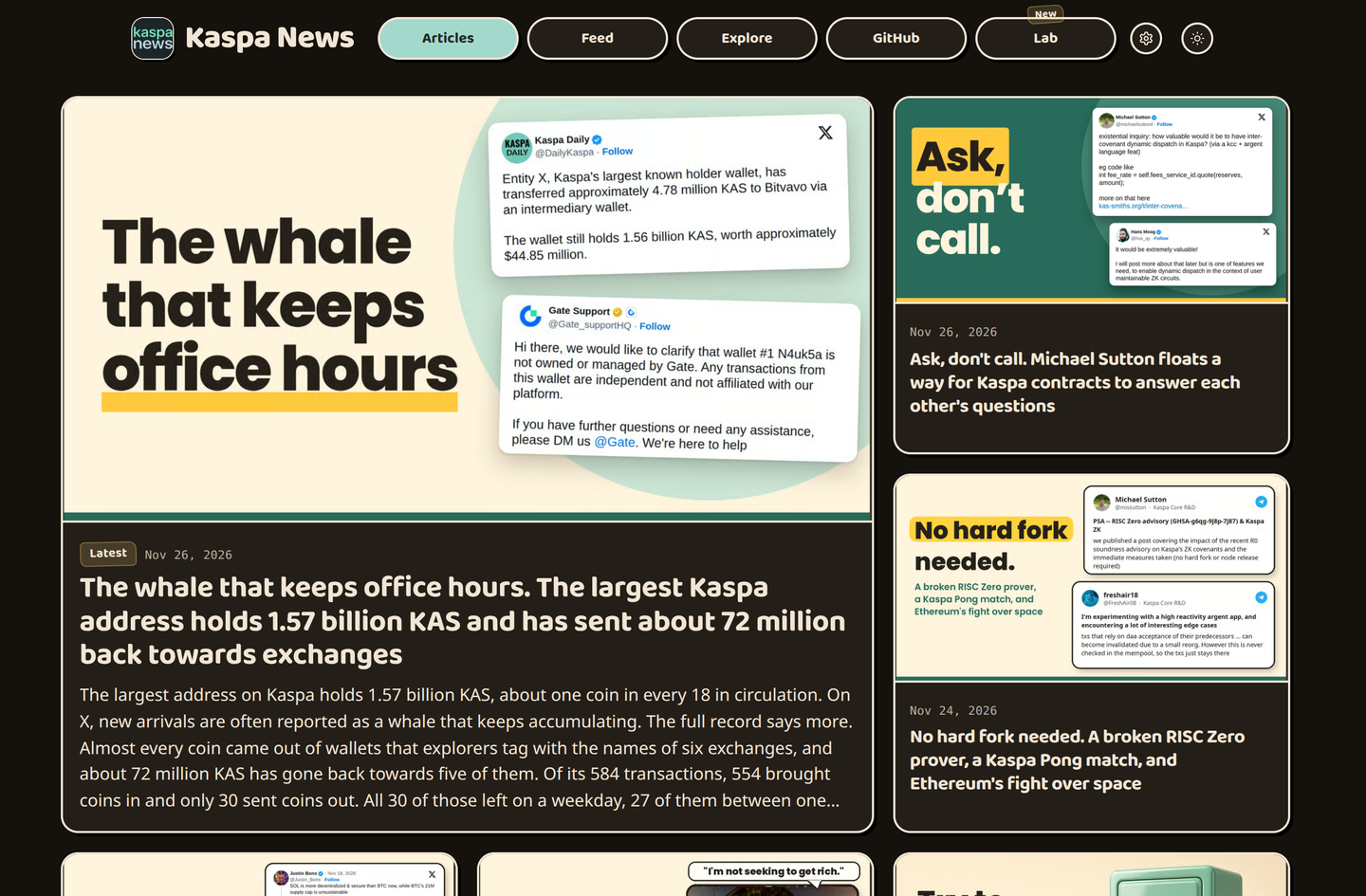
Every page starts from the same five-button menu in one fixed order. Articles opens the front page. Feed opens the social and community hub. Explore groups three public research and learning tabs, Mood, Radar and What is Kaspa?. GitHub tracks Rusty Kaspa code activity. Lab, carrying a New badge, opens the Kaspa News Knowledge Lab.
On phones and tablets, a sideways swipe moves straight through the whole site in that exact order. You can step from Articles across every tab inside Feed, move on through Mood, Radar and What is Kaspa?, and continue to GitHub and Lab without tapping back up to the top bar.
The site supports two full themes, Paper (the default warm light palette) and Dark. On computers and tablets, the sun-and-moon button sits right beside the Settings gear icon in the top bar. On phones, the theme switch moves inside Settings so the compact header stays uncluttered.
Opening Settings from the gear icon shows your account state, active subscription summary and, on phones, Feed display controls for tuning how X posts read on a small screen. Phone readers can pick Small, Medium or Large text, choose between Default, Serif and Mono fonts, cap long posts at 6, 10 or 15 lines or show all lines, tighten blank lines with Compact layout, adjust Card density, hide replies on Feed and Best, or reset everything in one tap. Long pages also show a floating Back to top button and remember your scroll position as you move around.
Articles, from the front page to the monthly archive
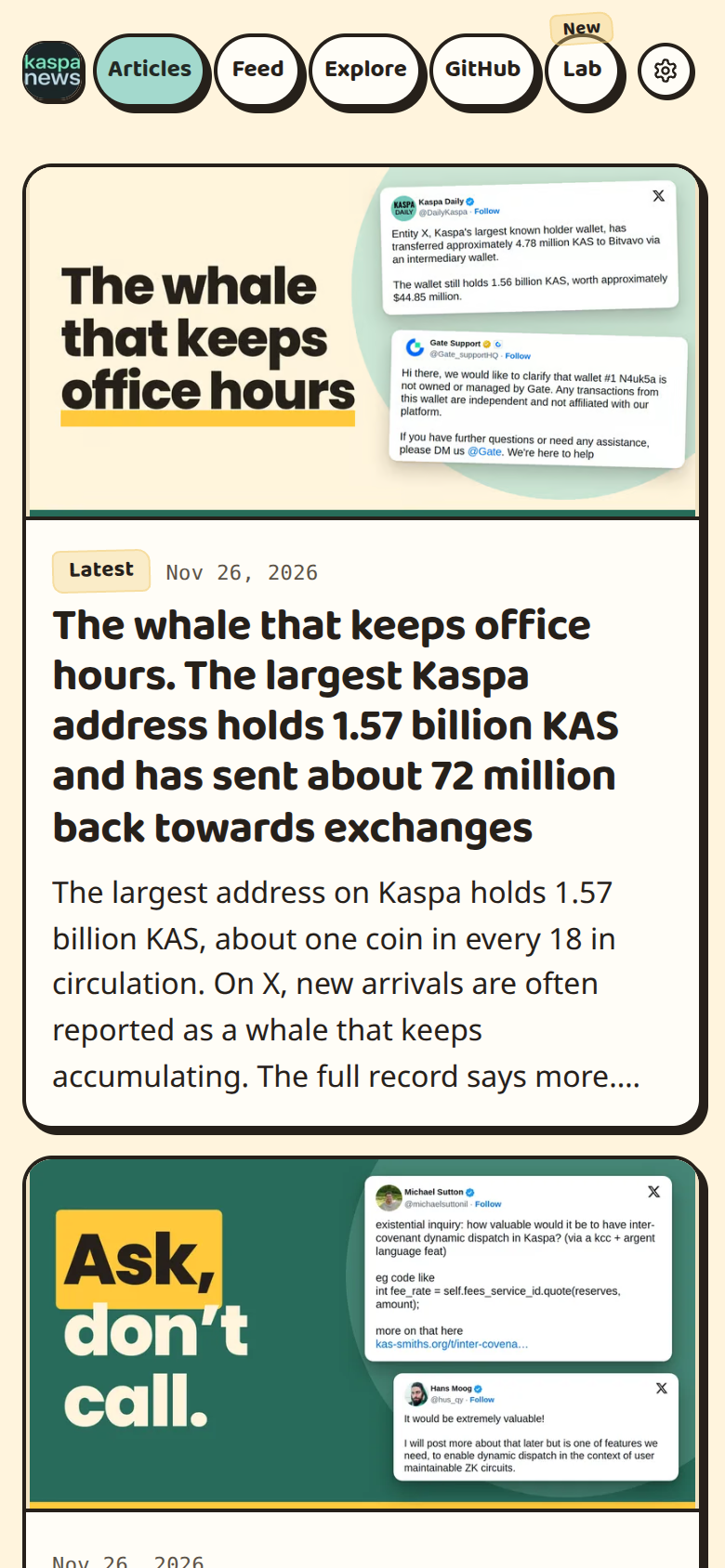
The front page at kaspa.news opens on independent reporting covering protocol development, node releases, wallets, mining, exchanges and ecosystem work. Stories run newest first, with 116 published articles so far, all open to read without an account.
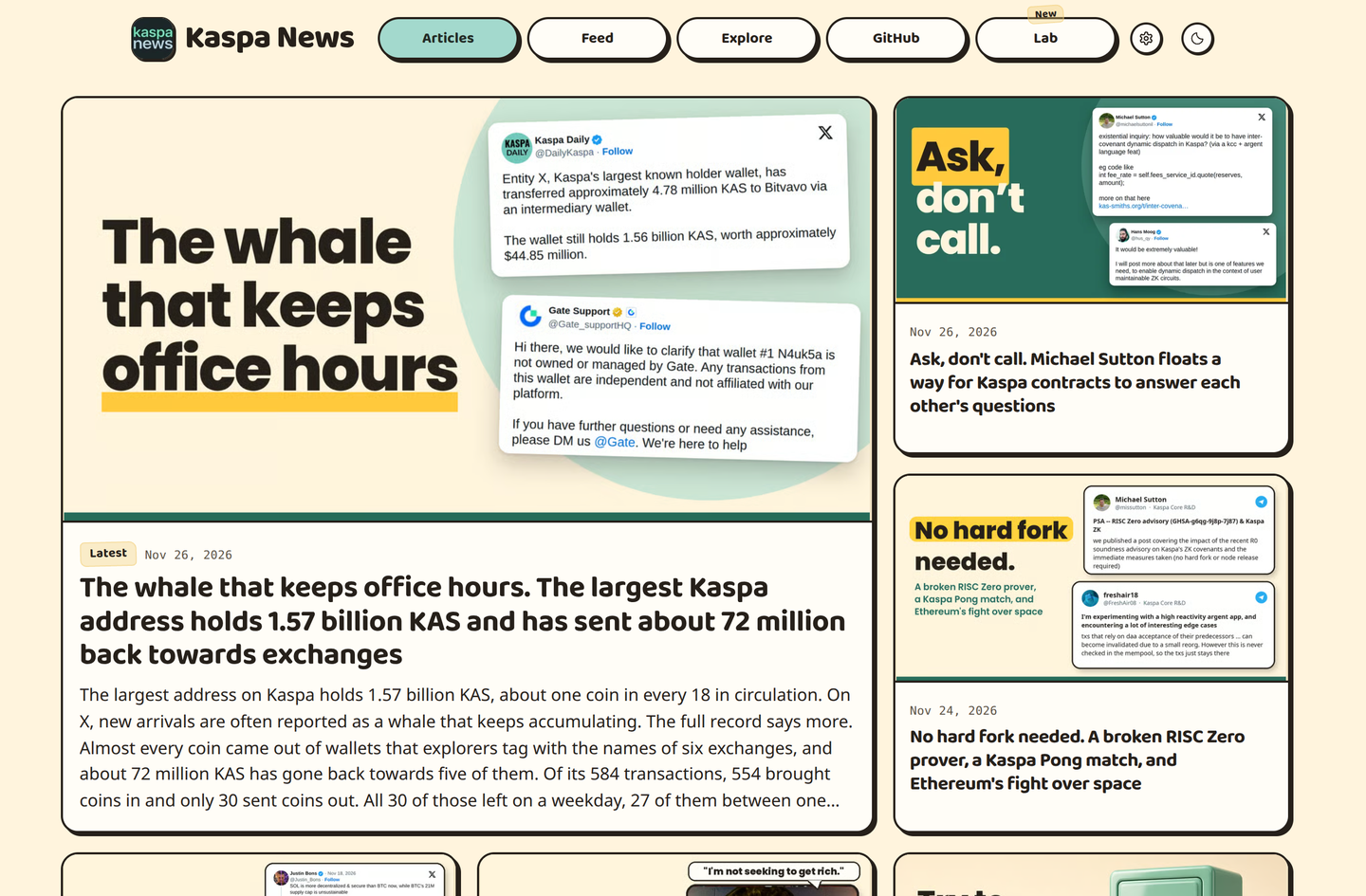
Page one leads with a wide card carrying a Latest badge and a multi-line preview, two side stories stacked beside it and nine more cards below for 12 stories per page. On computers and tablets, numbered page buttons step backward through older coverage. On phones, a Load more button appends the next batch in place without losing your spot.
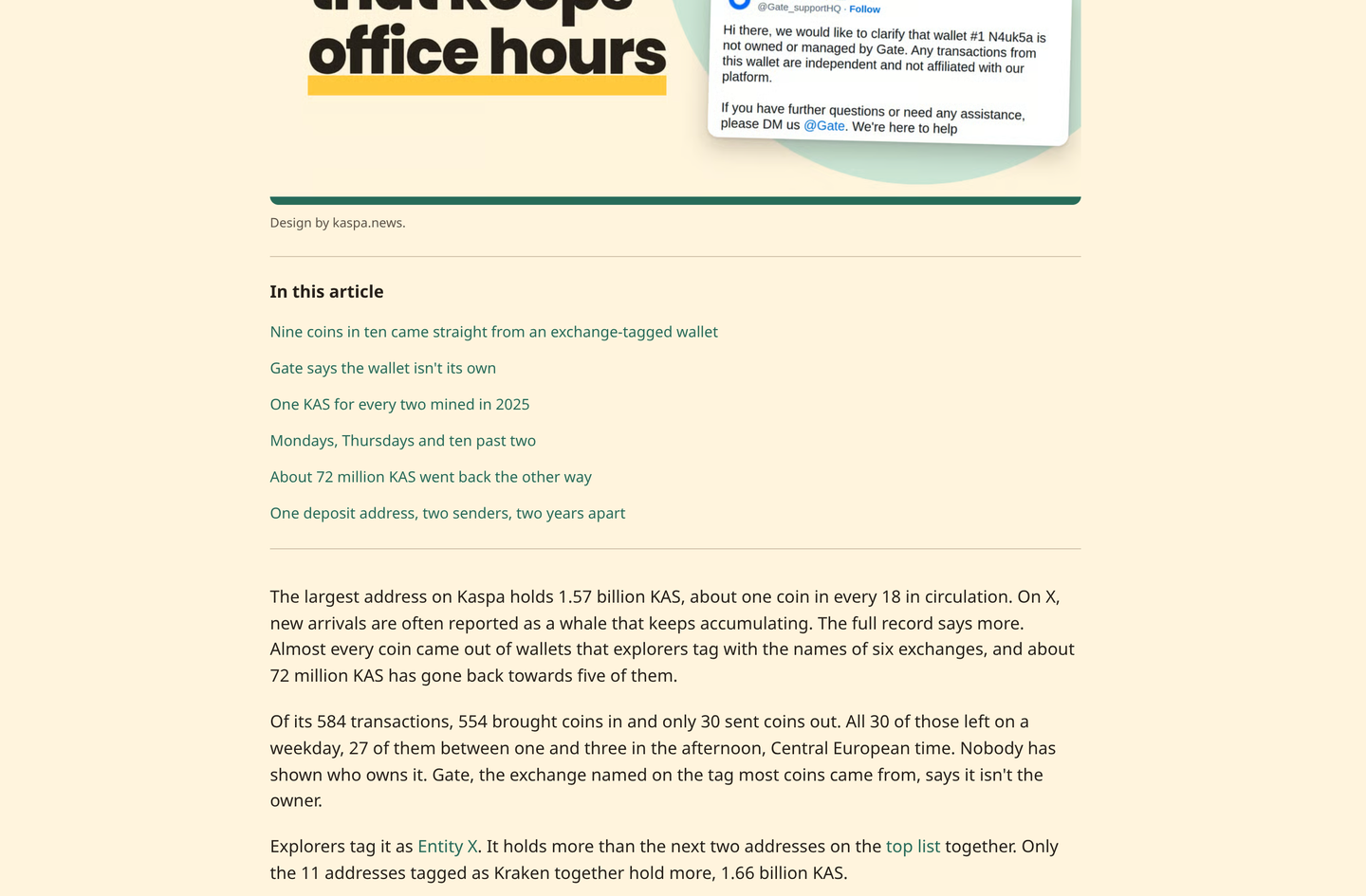
Inside any article with two or more sections, an automatic "In this article" jump menu appears right above the body so mobile readers can skip straight to the part they want. Inline citations stay clickable throughout the text and collect into a numbered Sources list at the bottom.
Quoted X posts and public Telegram messages render natively inside the article rather than as static screenshots, and standalone YouTube talks embed as inline players cued straight to the exact quoted second. Technical stories highlight code blocks, including SilverScript, with line numbers and a Copy button that copies clean code without the line numbers. Every story ends with a Share link button and up to four related reads under "More Kaspa Articles".
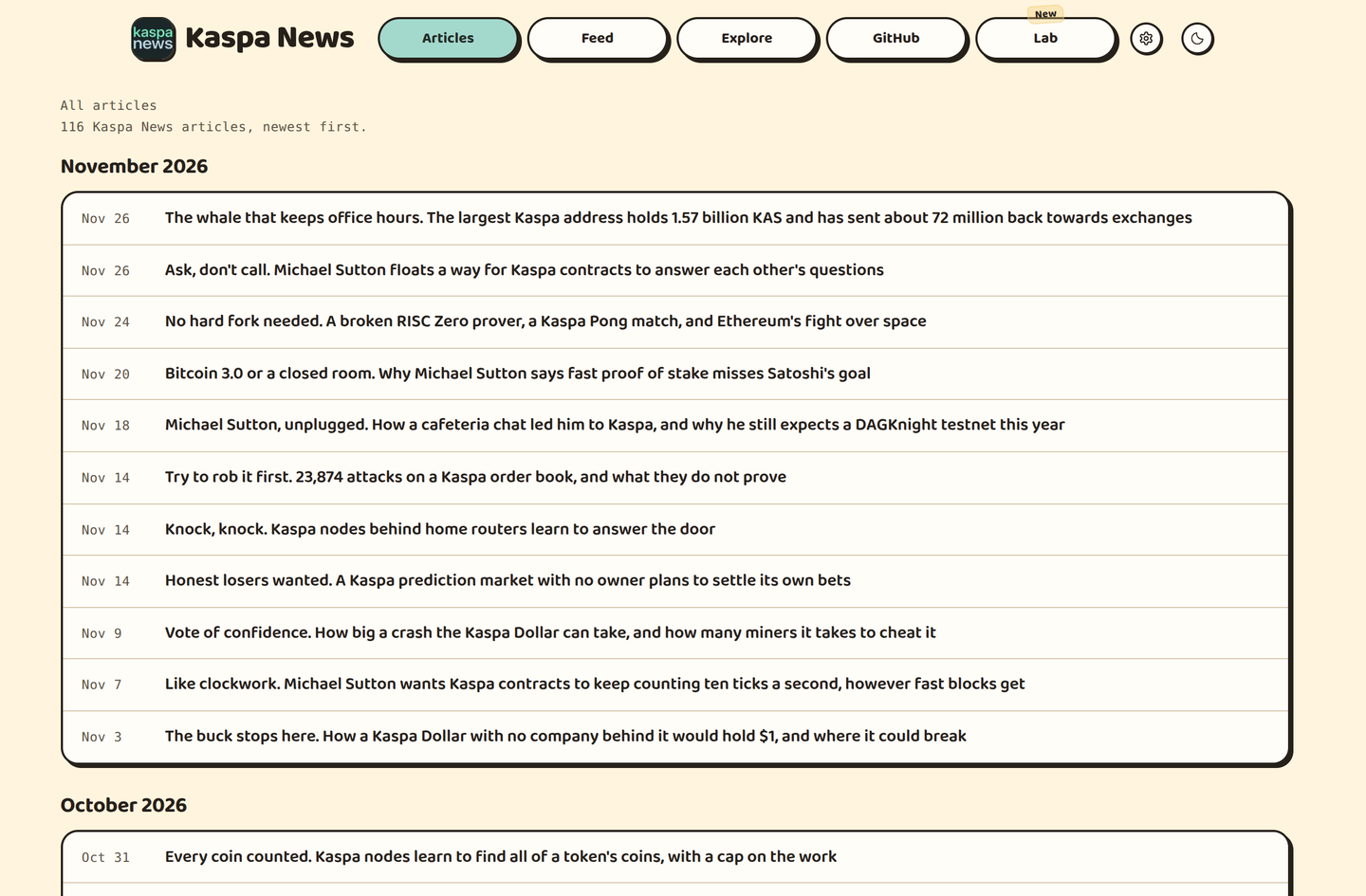
Any article links up to All articles, a single fast chronological list of every published piece grouped by month.
For feed readers, researchers and developers, kaspa.news also serves a live RSS feed at feed.xml, a Google News sitemap at news-sitemap.xml, a public JSON articles endpoint at /api/articles and plain-text indexes for AI tools at llms.txt and llms-full.txt.
Feed and Best, how the 24-hour X stream is sorted
Opening Feed brings up a second bar with eight visible tabs, Feed, Best, Devs, Eco, Focused, Videos, Reddit and Media. Videos and Reddit are open to everyone with no sign-in needed. On Feed, any visitor can read the top three ranked posts as open samples before the remaining cards blur behind a Pro prompt. Full access to Feed, Best, Devs, Eco, Focused and Media comes with Pro.
While a Feed page stays open, it checks for fresh updates every 15 seconds and keeps a local copy on your device so returning to a tab feels instant. Each tab loads 30 posts at a time through a Load more button rather than jumping the screen with endless auto-scroll.
The first tab, Feed, is a rolling 24-hour stream of English X posts collected twice a day, around 2 a.m. and 2 p.m. UTC, from searches covering Kaspa, $KAS and vProgs. Pure reposts stay out. A classifier running on the kaspa.news server filters out unrelated noise while keeping criticism, doubts and bearish views in. Qualifying posts sort by recorded views, and each card shows collected likes, reposts, replies and view counts alongside reply or quote context tags and a "View on X" link.
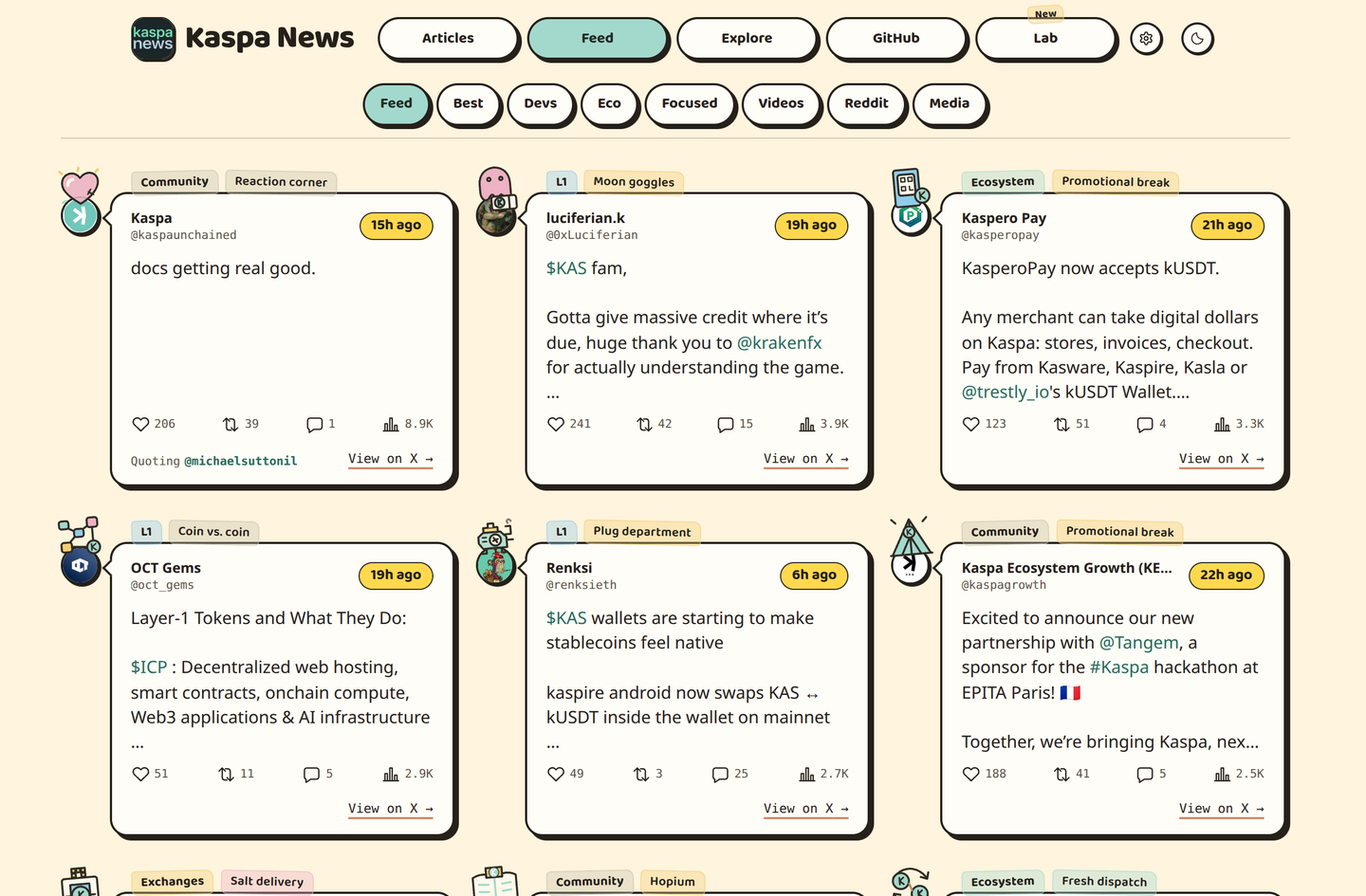
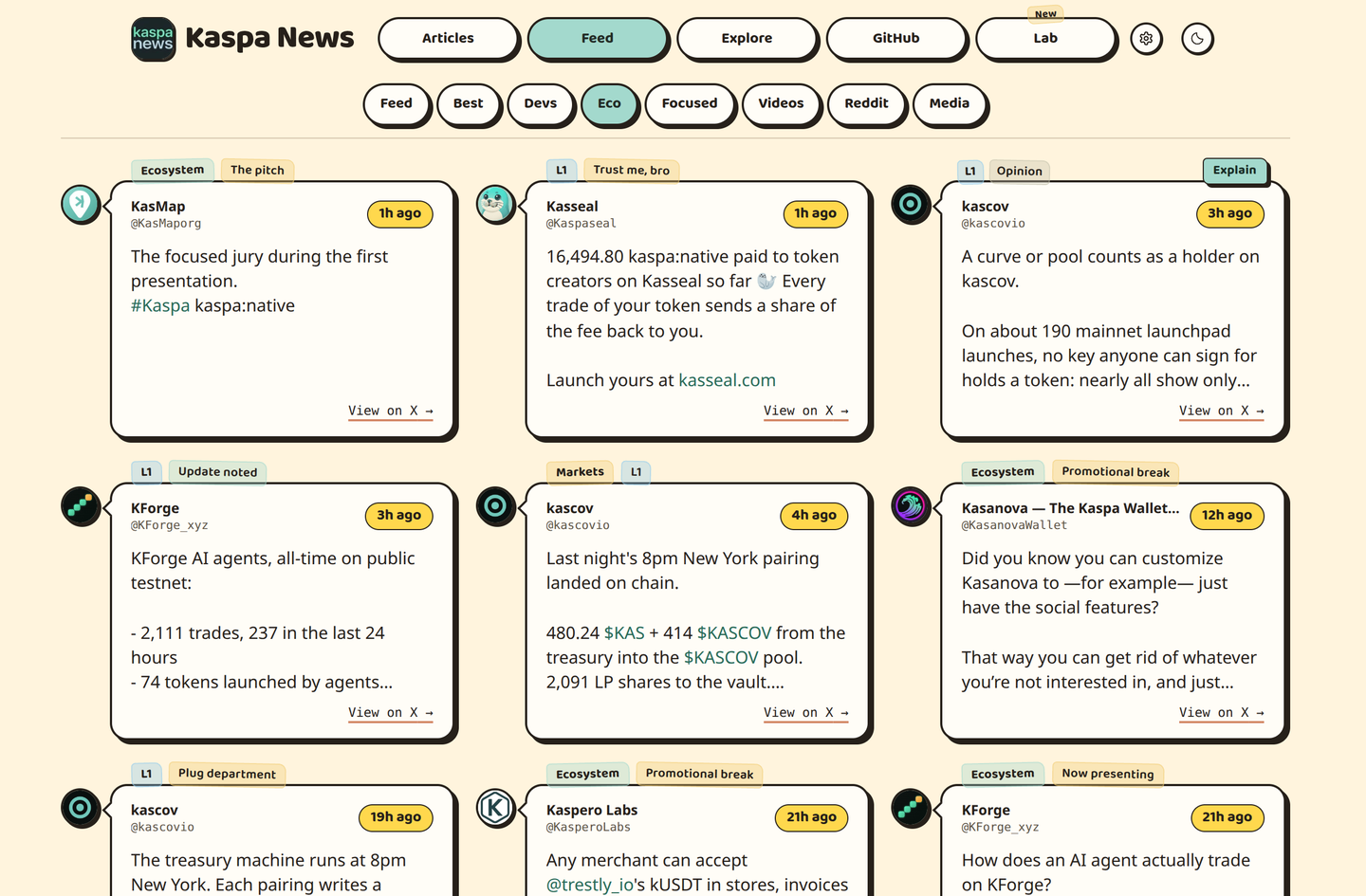
Every card in Feed carries two visual cues built from the classifier's stored output. Along the top edge sit up to two colour-coded pills naming the subject (such as Research, Development, vProgs, DAGKnight, Nodes, KIPs, Ecosystem, Tools, Mining, Markets or Exchanges), chain context (L1, L2, L1 + L2, Fork or Merge-mined), or post flavour across 16 groups (including Fresh dispatch, Under the hood, Critical eye, Moon goggles, Hopium, Reply magnet and Bulls in chat).
Beside the author avatar sits a custom illustrated hat chosen from a local library of more than 1,000 SVG drawings, from mining rigs and covenant keys to detective hats and storm clouds. Tap any hat to open a small note explaining what that drawing marks.
Technical X posts from the past three days can also carry a mint Explain button. The Knowledge Lab prepares up to 80 of these explanations ahead each day. Tapping Explain opens a popup marked "Explained by the Kaspa News lab", answering the post's core technical question in plain words with clickable source links. A "Go to Lab" button at the bottom opens the Knowledge Lab with that exact post link already waiting in the question box so you can dig deeper right away.
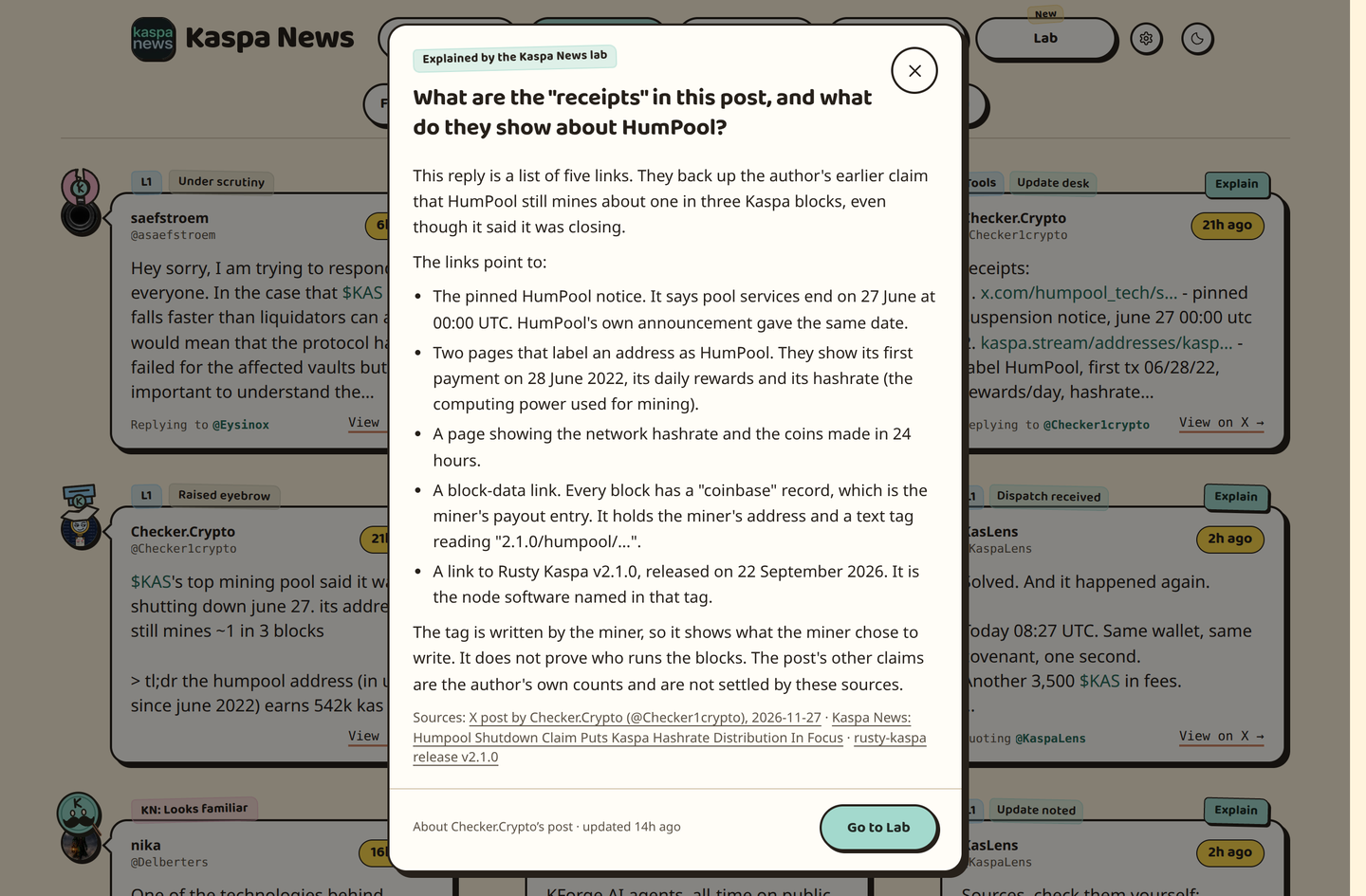
The second tab, Best, cuts that same 24-hour X pool down to substance. It keeps 11 technical and ecosystem subjects and leaves out general community banter, price talk and exchange chatter. To qualify, a post must score at least 60 out of 100 on usefulness and at least 50 on specificity, carry zero engagement bait and be an actual update, analysis, question or guide rather than a reaction, promotion or token mint pitch.
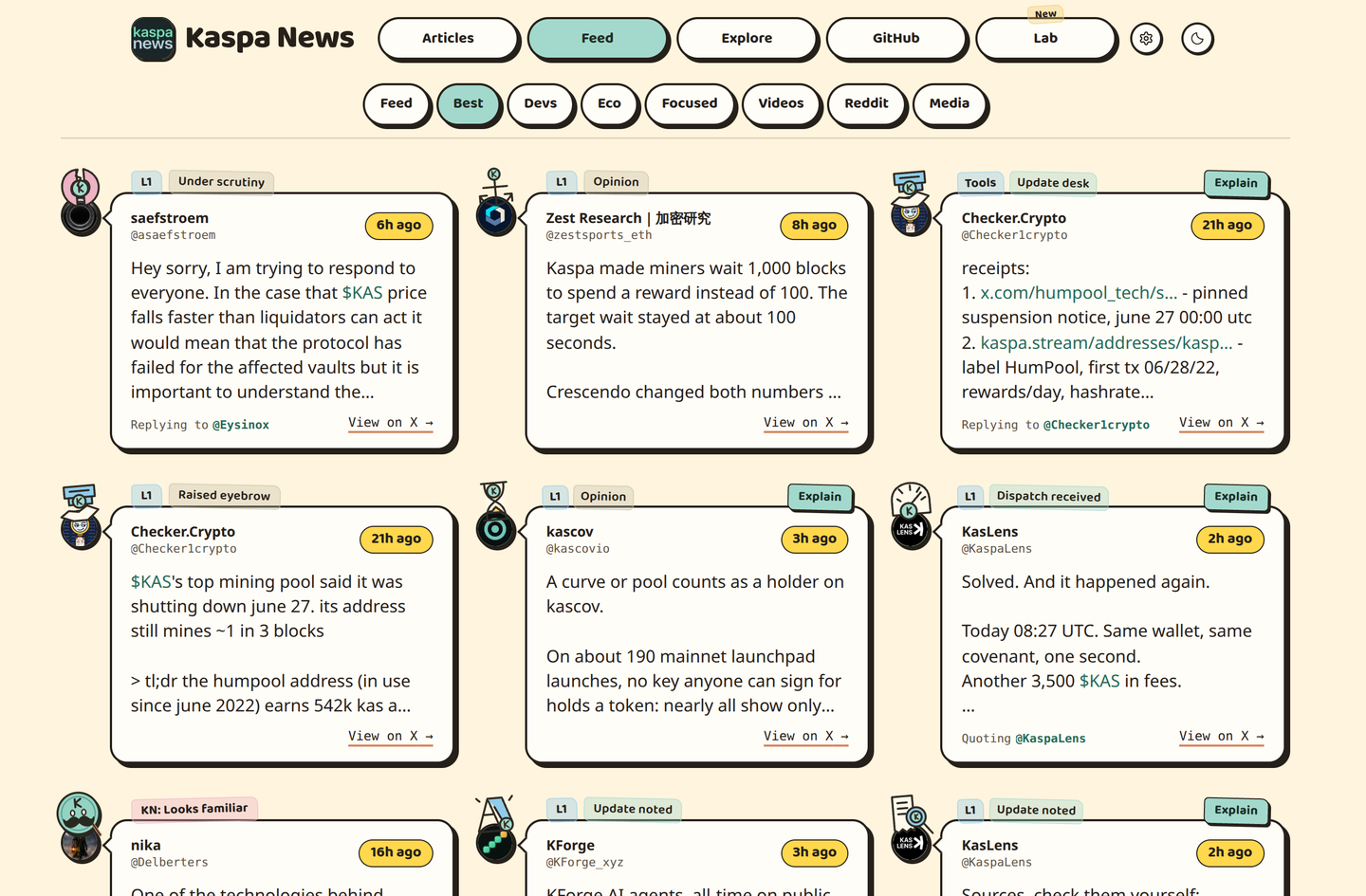
Passing posts sort by usefulness first, then impact and recency. Duplicate text is stripped out, and each author is capped at two posts so no single account crowds out the screen. Best cards keep the pills, illustrated hats and Explain popups without the view-count bar.
Devs, Eco, Focused, Videos, Reddit and Media
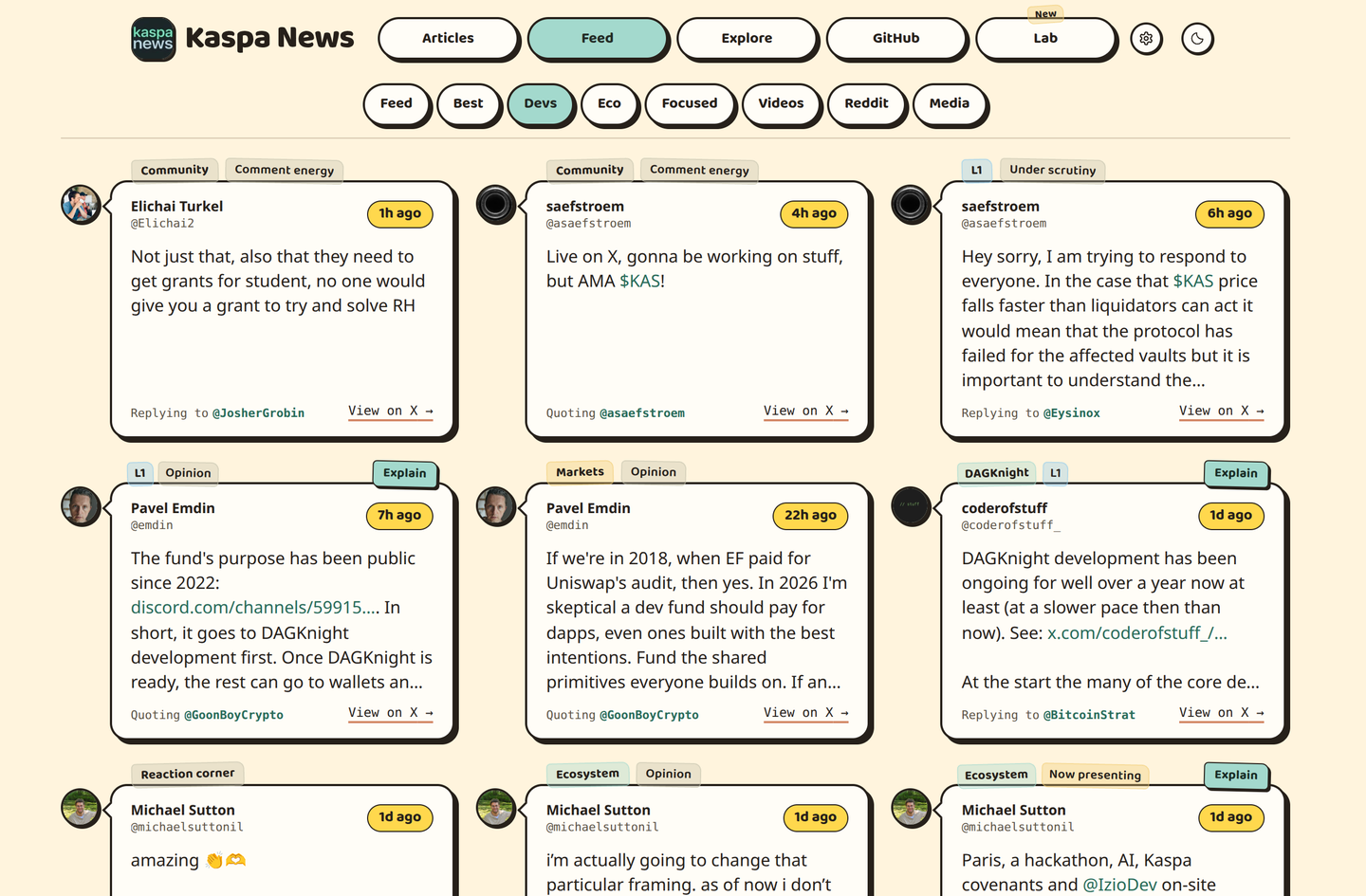
The next three tabs inside Feed follow curated account lists instead of broad keyword searches. They refresh every four hours and keep a rolling 30-day archive sorted newest first, carrying topic pills, reply or quote tags, "View on X" links and Explain popups on explained technical posts.
Devs tracks 26 Kaspa core researchers and developers and includes their English replies so technical back-and-forth stays intact instead of disappearing into separate threads.
Eco follows 50 wallets, explorers, infrastructure teams and ecosystem projects, keeping original posts without reply clutter.
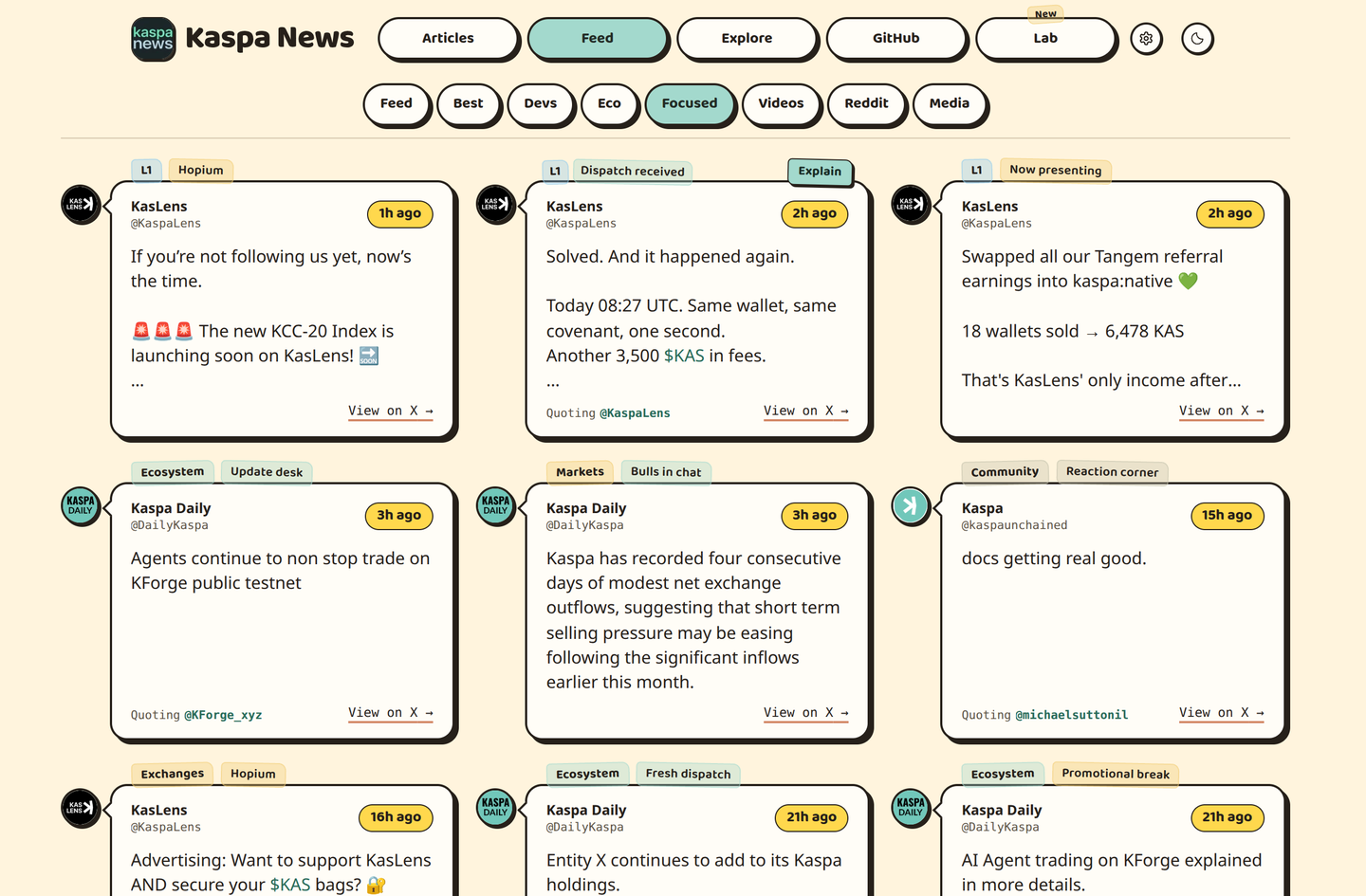
Focused gathers 13 dedicated Kaspa media, research and community accounts in one clean column, also keeping original posts only.
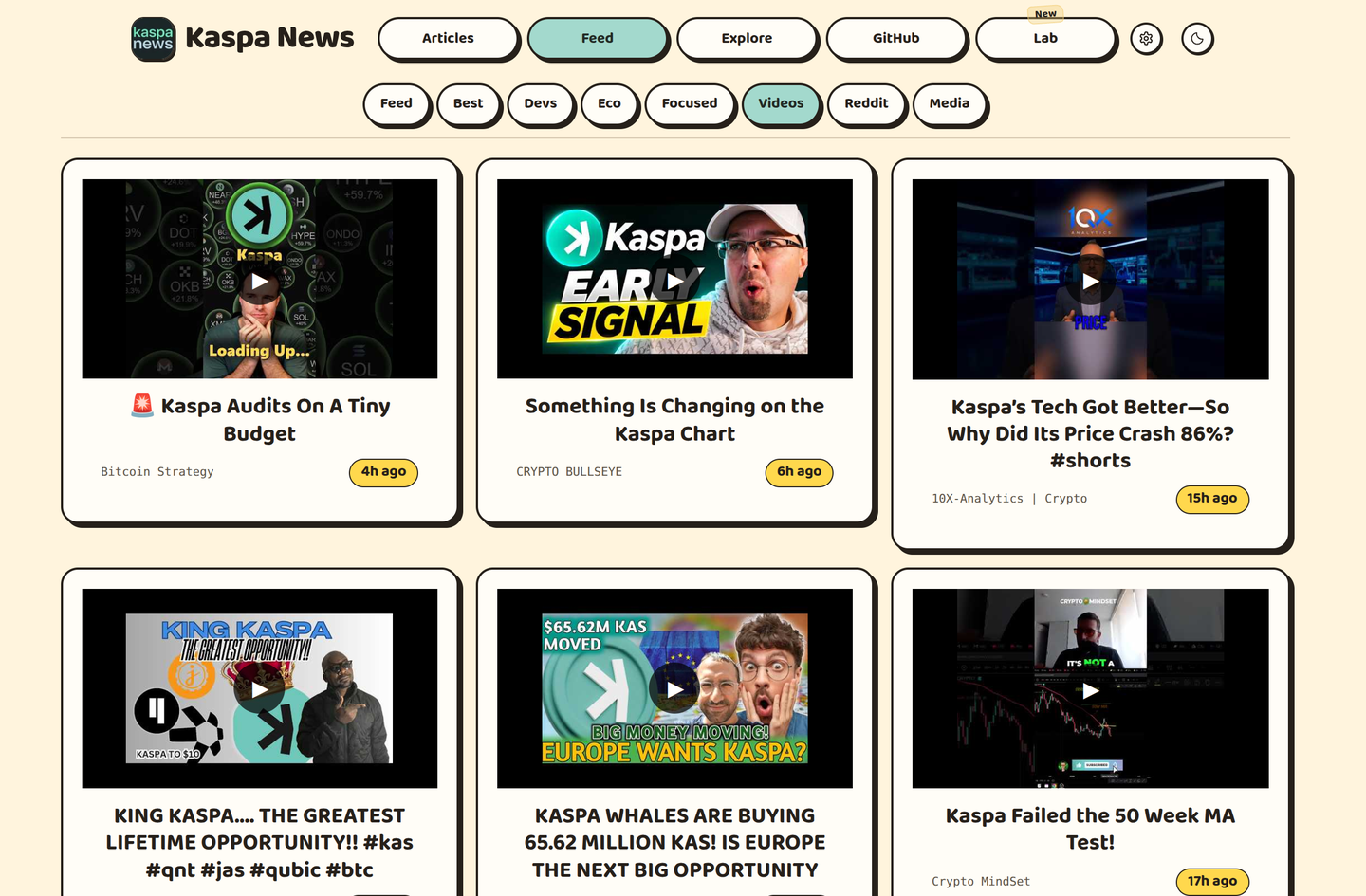
The two tabs after that are open without an account. Videos pulls English Kaspa uploads from YouTube every hour across a rolling 48-hour window, requiring at least 40 views to filter out empty spam. Each card shows a widescreen thumbnail, title, channel name and upload age. Clicking any video plays it inside an embedded modal right on the page, with a "Watch on YouTube" link underneath.
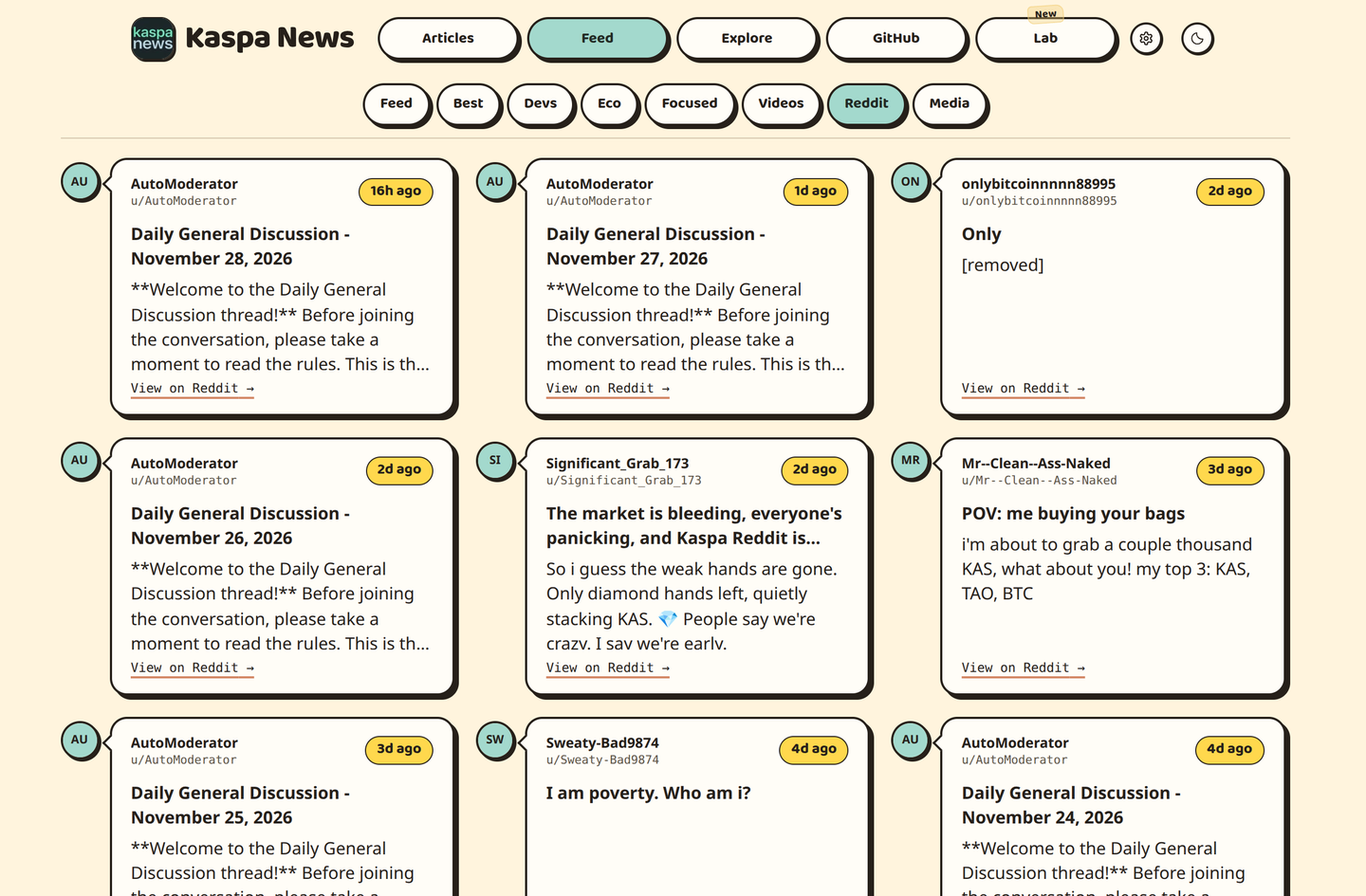
Reddit tracks the newest non-NSFW posts from r/kaspa, refreshed every eight hours, displaying the author, title, post body text, age and a "View on Reddit" link.
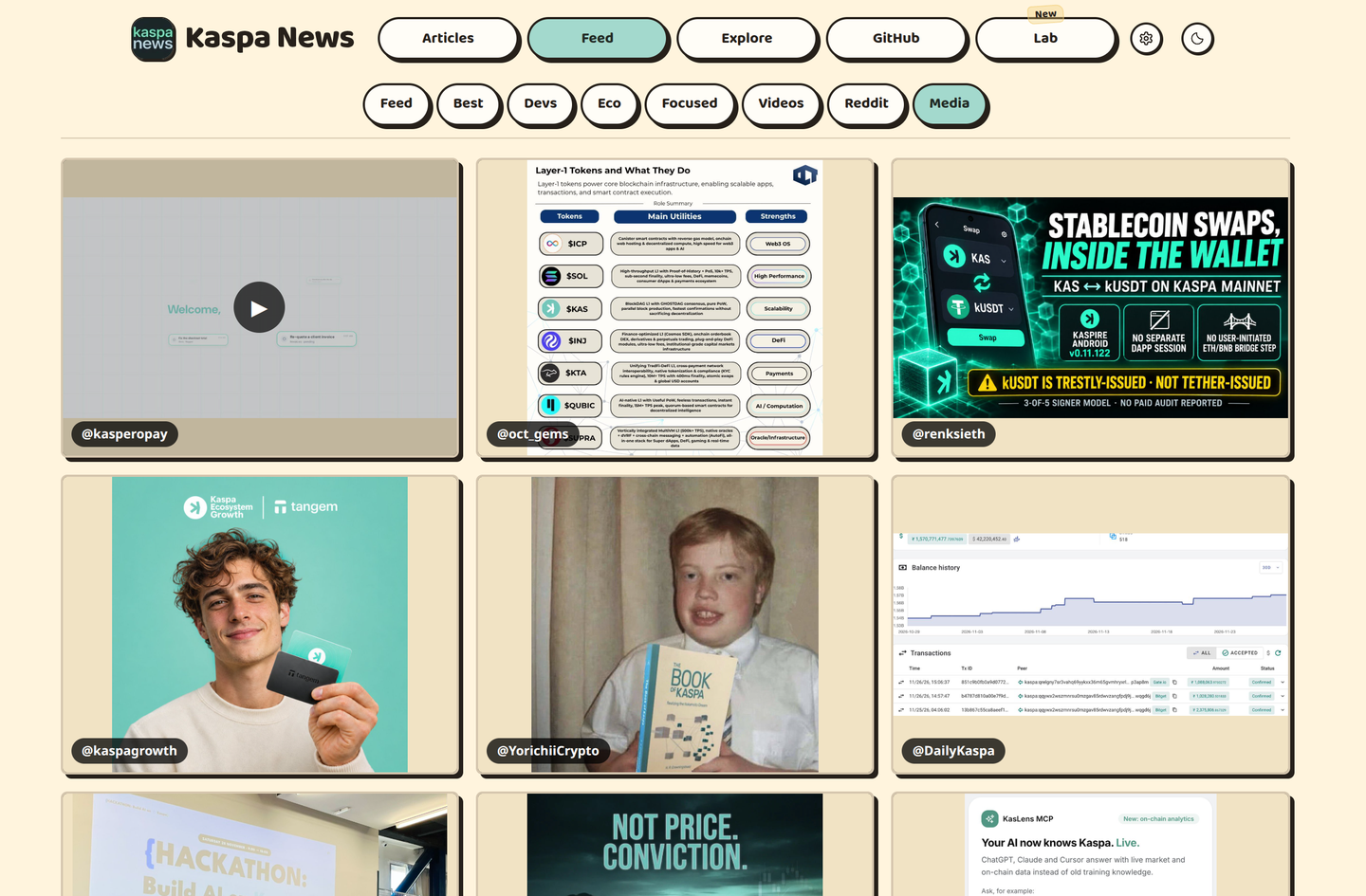
The eighth tab, Media, turns the 24-hour X feed into a four-by-three visual gallery sorted by views. Every tile holds an image, video poster, GIF or YouTube thumbnail tagged with the poster's handle. Clicking an X image or video opens a fullscreen dark viewer with arrow keys, swipe navigation, direct video playback and a "Source on X" button. Clicking a YouTube tile jumps straight to that video at the exact timestamp shared in the post.
Mood, community sentiment and daily timeline receipts
Clicking Explore opens a three-tab bar holding Mood, Radar and What is Kaspa?. All three are open to everyone with no sign-in needed.
Mood combines Kaspians Mood, the community sentiment index, with 24-hour X feed statistics on a single page. Older /stats links redirect straight here.
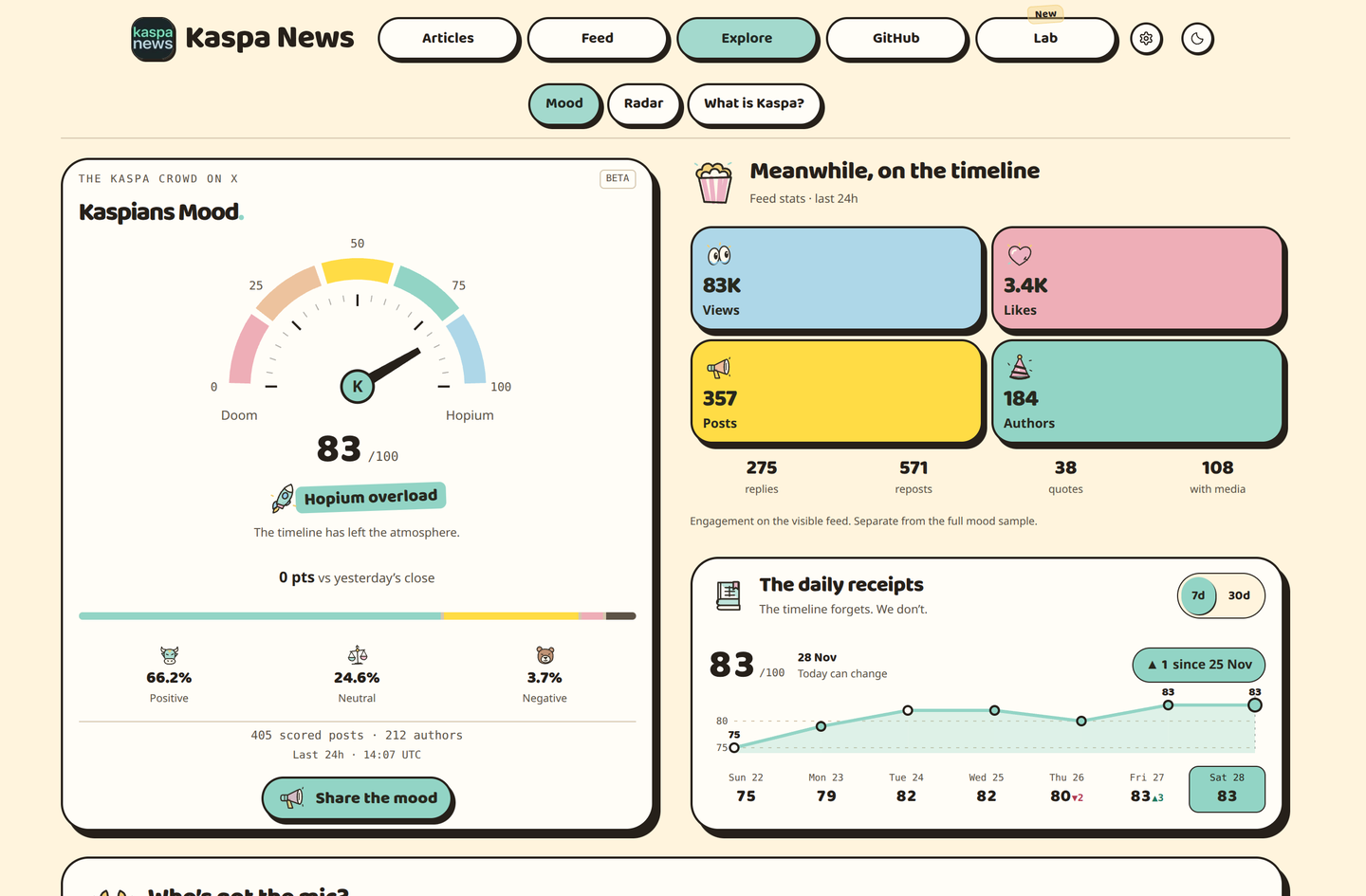
At the top sits a five-band semicircle gauge from 0 to 100 with a mint K hub and an animated needle you can click to replay. The score lands in one of five named bands.
- 0 to 24 is "Doom in the room".
- 25 to 44 is "Bears have the mic".
- 45 to 55 is "On the fence".
- 56 to 75 is "Bulls in chat".
- 76 to 100 is "Hopium overload".
If fewer than 50 effective authors posted in the window, the gauge holds the number back and shows "Reading the room".
The index recomputes twice a day from the full 24-hour English keyword sample on X. Every author receives equal weight, so posting twenty times in a day never buys twenty votes, and copy-pasted text repeated across multiple accounts gets weighted down. Bearish views, doubts and criticism count equally alongside bullish posts, while posts whose stance is unclear stay marked unclear instead of being pushed into neutral.
Tapping Positive, Neutral or Negative opens a short note showing that camp's author-balanced share. The reading measures attitude, where 0 is negative, 50 is balanced and 100 is positive, not a price forecast and not the share of holders who feel bullish. A "Share the mood" button renders a 1080-by-1350 PNG card right inside your browser with the live gauge, custom Kaspa artwork and UTC timestamp so you can save or share it directly.
Next to the gauge, "Meanwhile, on the timeline" summarises 24-hour activity on the visible X feed. Clicking Views, Likes, Posts or Authors opens a brief note explaining each total, paired with a compact row for replies, reposts, quotes and posts with media. Those engagement totals stay separate from the Mood math so viral reach never tilts sentiment.
Below that, "The daily receipts" charts daily readings across 7d and 30d views with a selectable calendar. Today stays live and provisional, then freezes permanently after UTC midnight. Any missed day remains a visible gap rather than a guessed number.
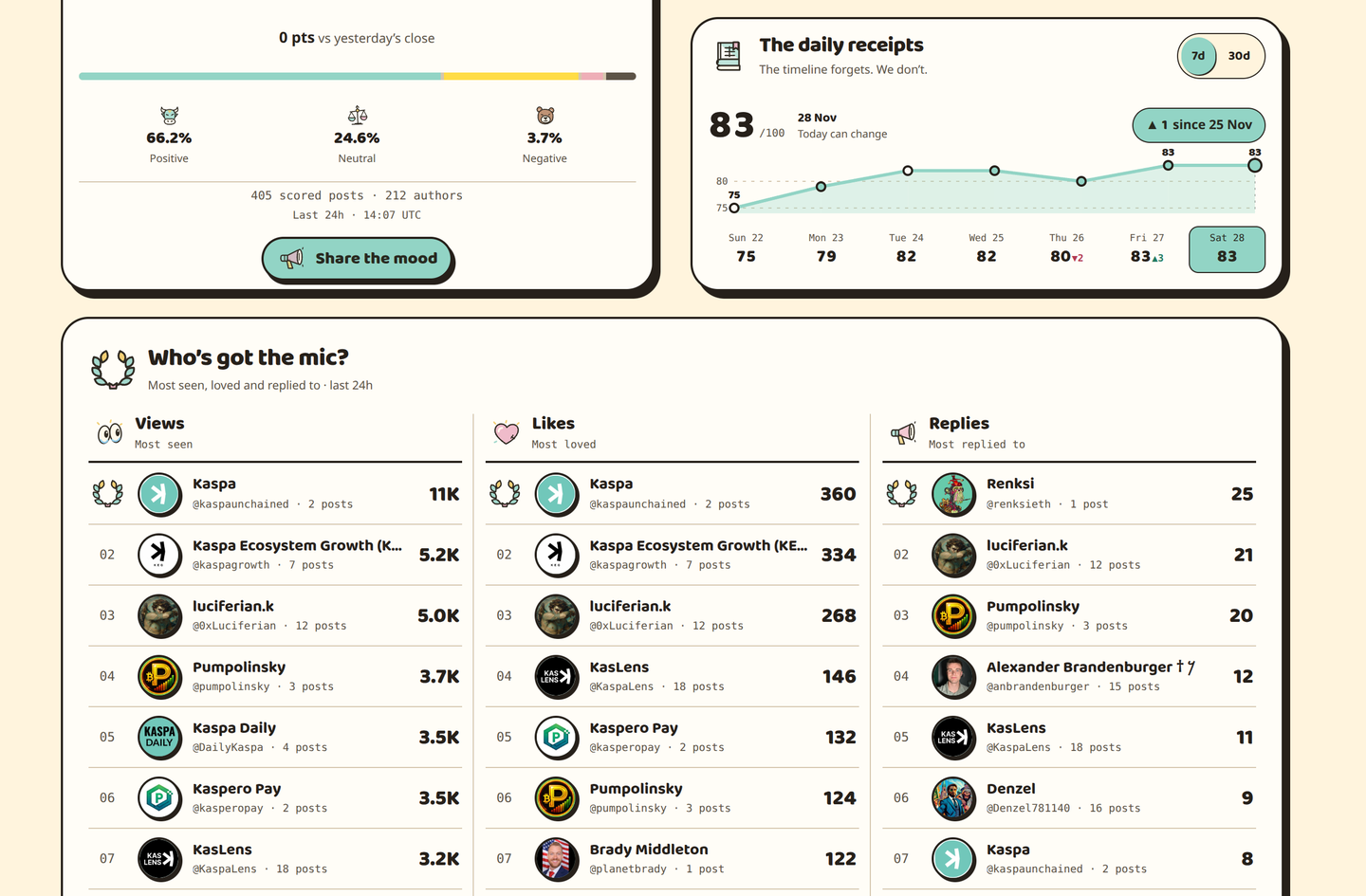
Further down, "Who's got the mic?" ranks the past 24 hours across three side-by-side Top-10 account leaderboards for Views (Most seen), Likes (Most loved) and Replies (Most replied to), each linking straight to X.
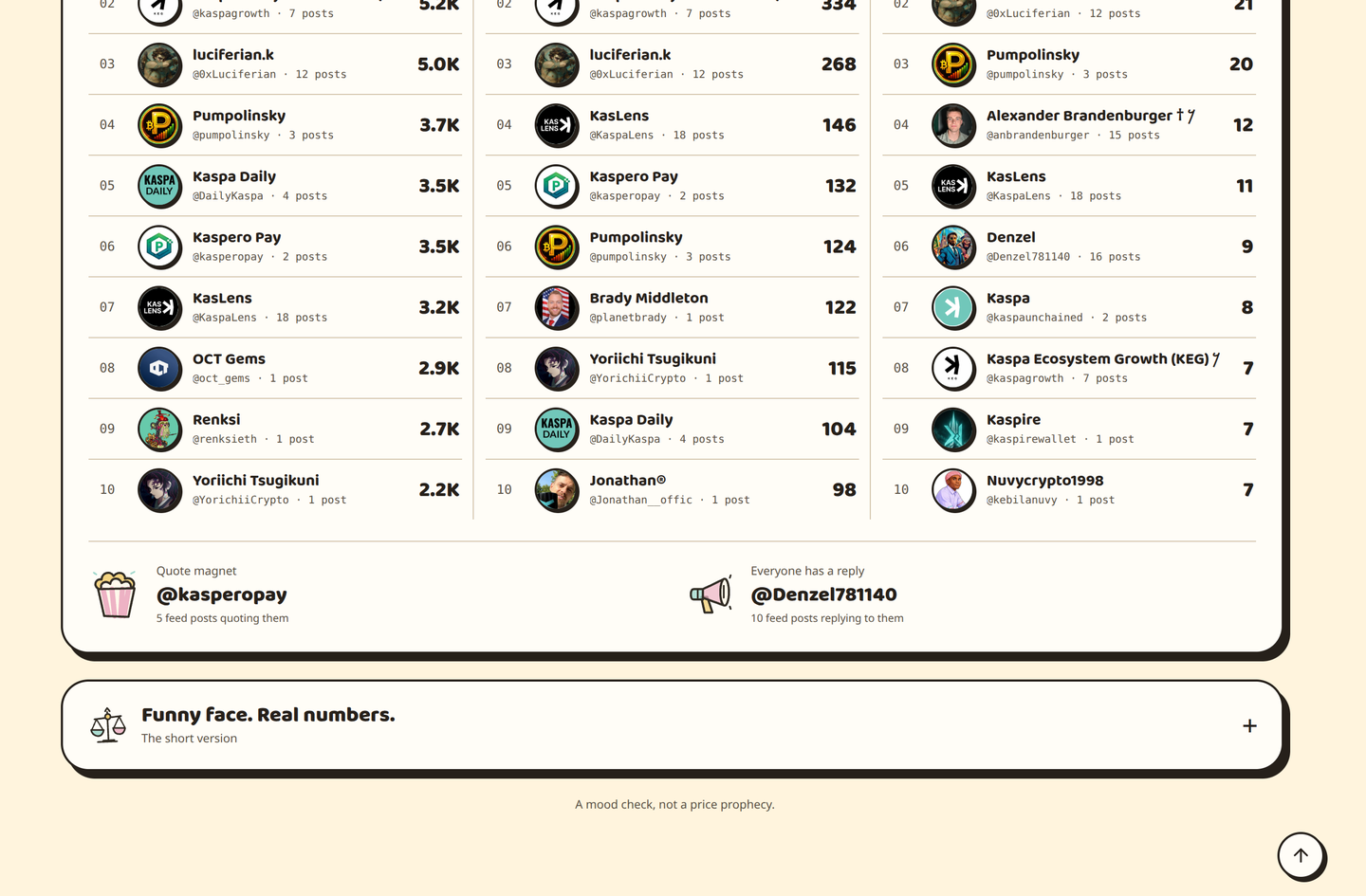
Right underneath the leaderboards sit two spotlight cards naming the "Quote magnet" and "Everyone has a reply", followed by an expandable "Funny face. Real numbers." panel with the concise guide to how the score works.
Radar, 495 source-checked crypto projects
The second Explore tab, Crypto Altcoin Radar, tracks new crypto projects announced on Bitcointalk's Altcoin Announcements board. It currently holds 495 published project profiles, including 270 with locally verified project logos and clean monograms for the rest.
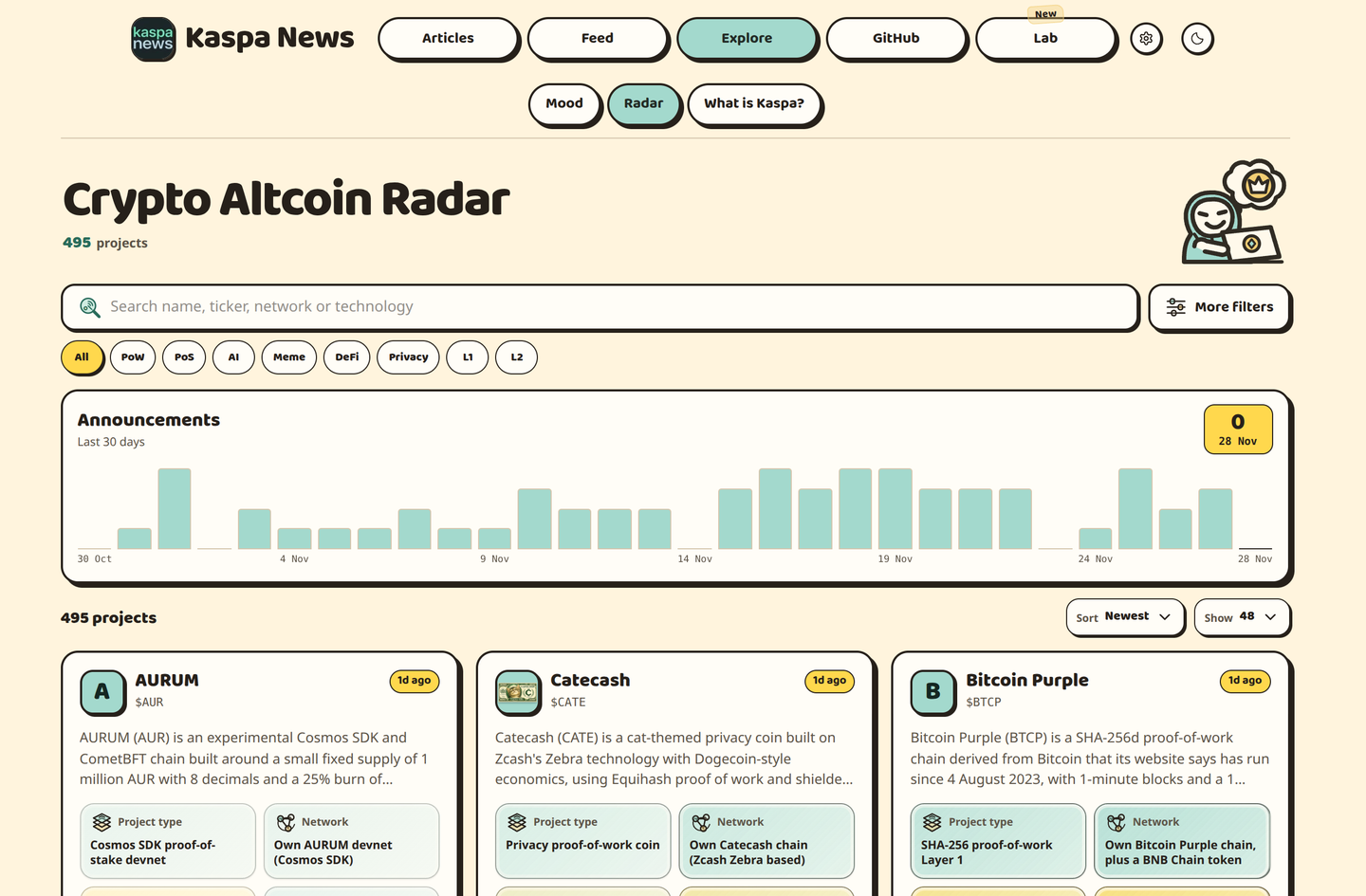
Projects do not land on the public page automatically. Duplicates, non-projects and unresolved threads stay hidden, and a project appears only after its original forum post and linked sources pass a research review and quality checks. New batches are fetched and reviewed when run rather than on an automatic nightly schedule. If a listed project later edits its announcement, its card stays visible with a notice warning that the post changed after review.
A search bar covers project names, tickers, networks and technology, and quick filter chips (All, PoW, PoS, AI, Meme, DeFi, Privacy, L1 and L2) narrow the catalogue in one tap. The "More filters" button opens "Fine-tune the hunt", grouping searchable pickers into four sections.
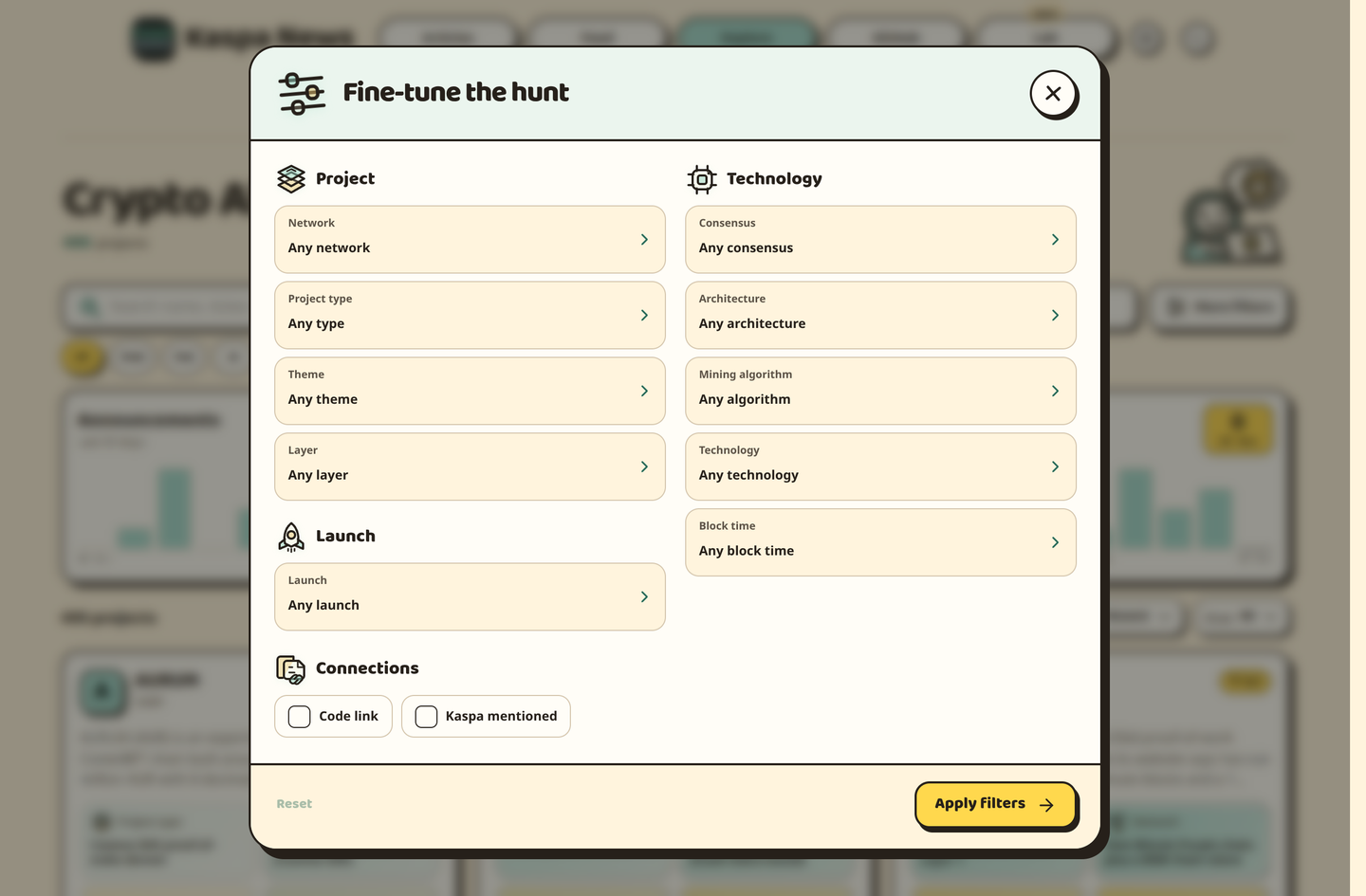
Project covers network, project type, theme and Layer 1 or Layer 2. Technology covers consensus, architecture (such as BlockDAG, UTXO or EVM), mining algorithm, technology tags and block-time ceilings. Launch filters by fair launch claimed, presale announced, no premine claimed or allocations disclosed. Connections adds toggles for Code link and Kaspa mentioned. Above the grid sits an interactive 30-day Announcements bar chart alongside Sort (Newest, Oldest, Name A-Z, Block time, Consensus, Project type and Technology) and Show controls (24, 48 or 96 cards per page). Every active filter updates the page address so any filtered view can be shared.
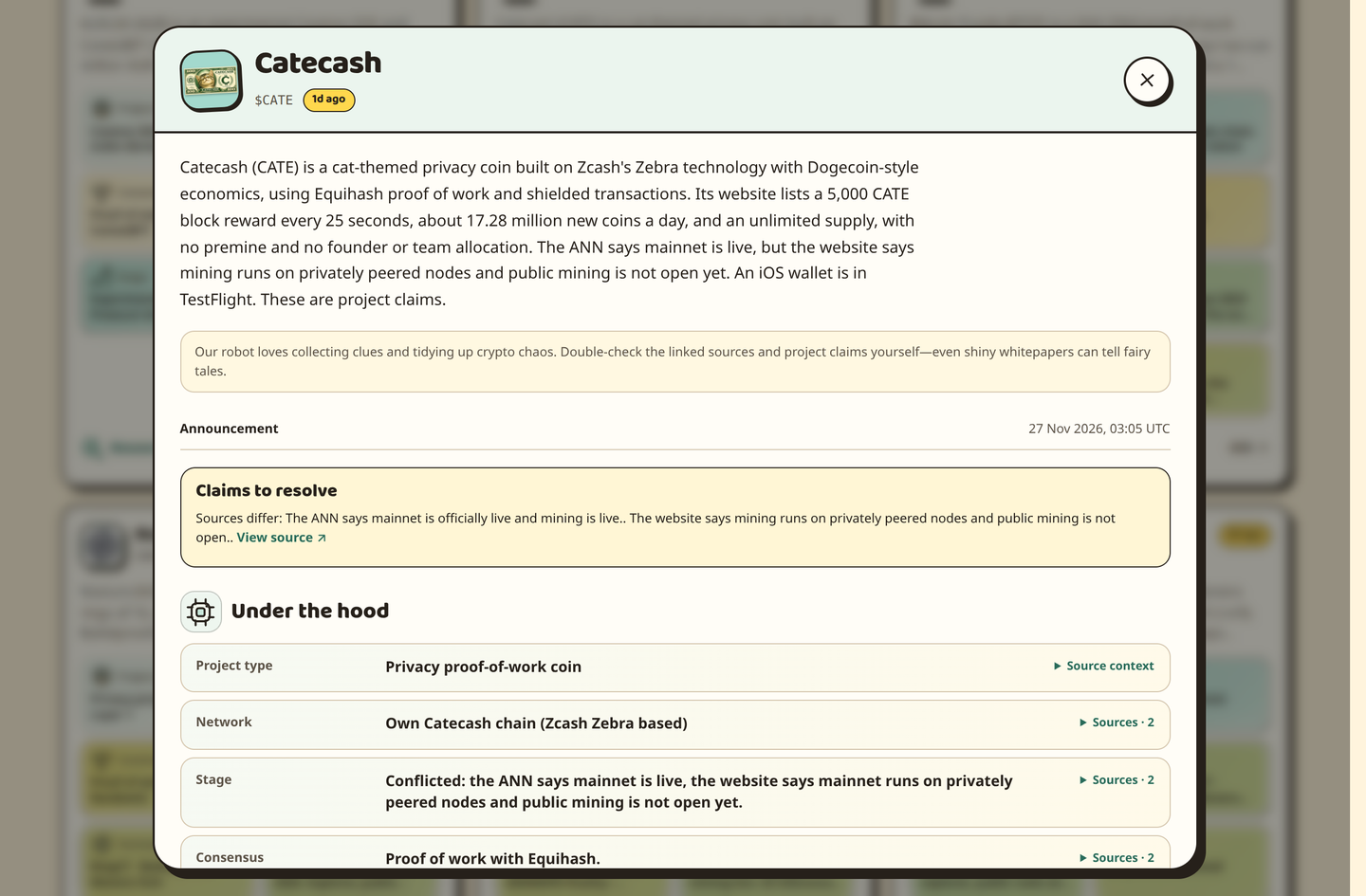
Every card front follows the same eight-field order, Project type, Network, Consensus, Block time, Technology, Stage, Launch and Distribution, leaving out unsourced fields rather than inventing values, with a direct ANN link to Bitcointalk.
Clicking "Research card" loads the full cited breakdown in five sections, Under the hood, Launch & distribution, People & governance, Markets & listings and More details. Facts link directly to their source with expandable context quotes, disagreements between sources surface in a "Claims to resolve" box, missing details show under "Open questions", and verified website, code, explorer, wallet and whitepaper links appear at the bottom. Radar profiles are starting points for checking claims yourself, not audits or endorsements.
What is Kaspa and the eighteen-scene blockDAG river
The third Explore tab, What is Kaspa?, is an interactive scroll-driven guide built to explain Kaspa from the ground up.
It opens on a live Kaspa mainnet blockDAG river pulling real blocks from api.kaspa.org and counting every block that arrives after you open the page.
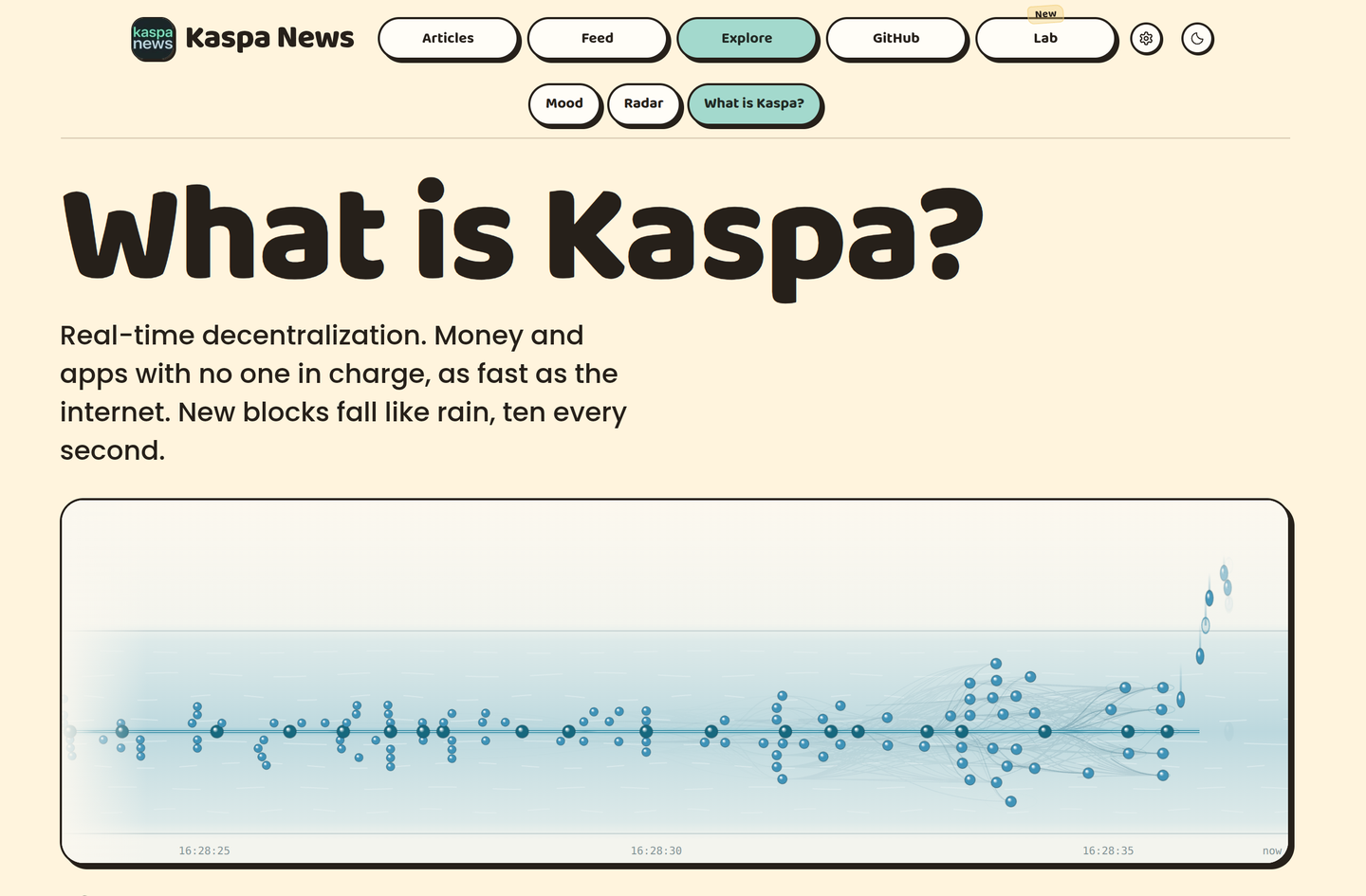
Scrolling forward or backward drives 18 animated chapters at your pace. They cover real-time decentralisation, 10 blocks per second, instant checkout payments, shops taking KAS, parallel blocks in a blockDAG, GHOSTDAG ordering, cash-like UTXOs, proof-of-work mining with live network hashrate and the monthly supply step-down with live mined supply.
The second half walks through running a home node, pruning, covenants, what real-time settlement enables, building apps, research roots and fair launch, 12 self-custodial wallets, 14 exchanges and encrypted on-chain messaging with KaChat.
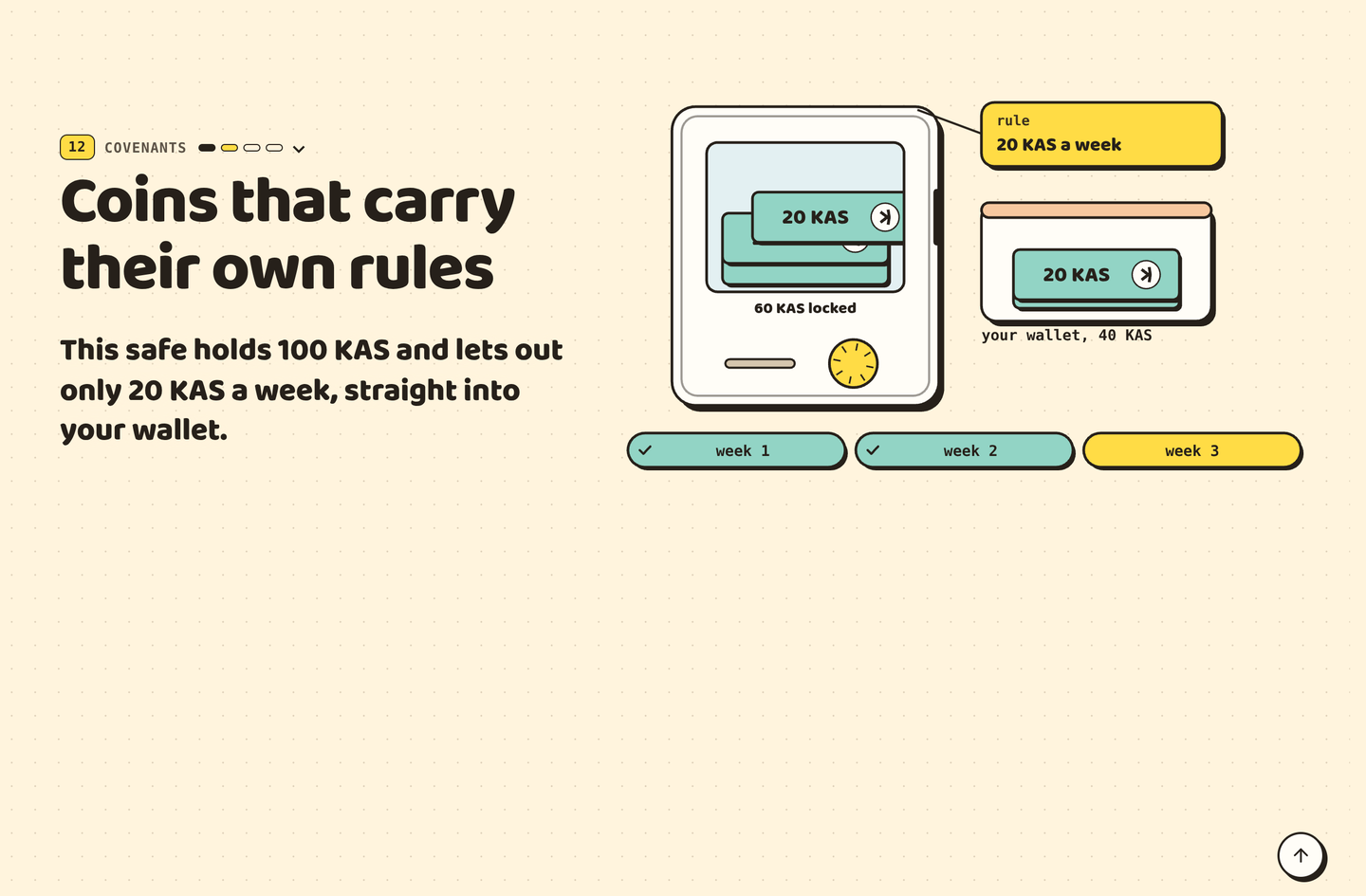
Two chapters invite you to test the rules directly. On the supply chapter, "Turn the sound on" plays descending piano notes matching the monthly emission schedule as you scroll. On the covenants chapter, "Try to take 50 KAS" lets you try breaking a 20 KAS weekly spending rule and watch the network say no.
After scene 18 come four embedded talks (Kaspa at the Oxford Union, AusCryptoCon, Michael Sutton on vProgs and Michael Sutton with Hans Moog on speed) and a short playful flying-car film. A closing live river counts how many real blocks Kaspa produced while you read the page, followed by a seven-line recap, links to Articles and the Lab, and a Share button.
GitHub, with plain-words pull request breakdowns
GitHub is a top-level page of its own, open to everyone and refreshed every hour to follow kaspanet/rusty-kaspa, the Rust node implementation behind Kaspa.
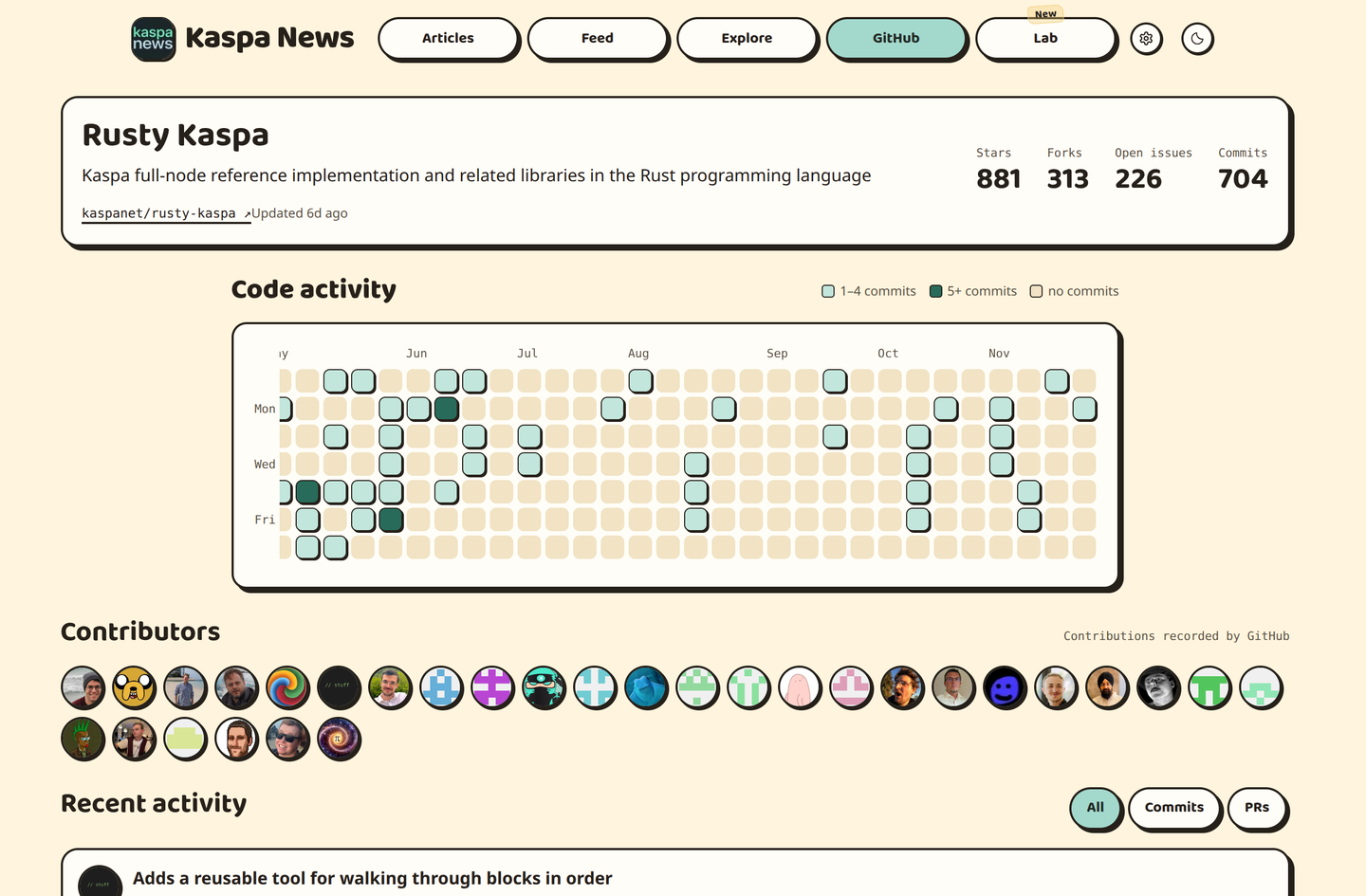
The header card shows live totals for Stars, Forks, Open issues and Commits alongside a link to the repository. Beneath it runs a 52-week "Code activity" heatmap shaded by daily commit volume (no commits, 1-4 commits and 5+ commits). Hovering or tapping any square previews that UTC day's commit messages and opens that exact day on GitHub. Below the calendar sits a clickable Contributors avatar wall loading 30 contributors at a time.
The "Recent activity" timeline combines commits, pull requests and repository events into one chronological stream with All, Commits and PRs filter pills and full lifecycle timestamps showing when each pull request opened, updated or merged.
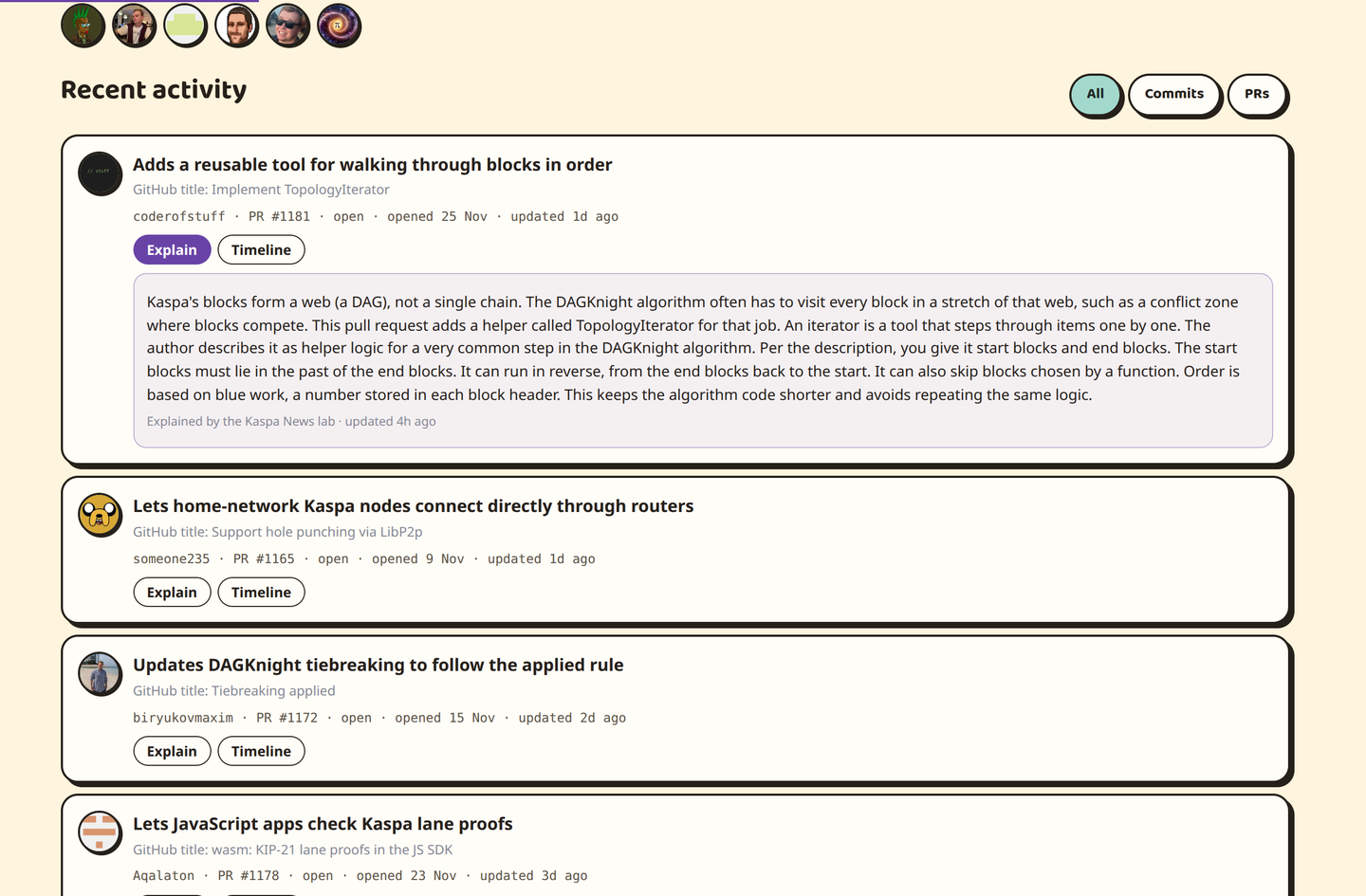
For tracked Rusty Kaspa pull requests (45 explained so far), the Knowledge Lab adds a plain-words title right above the original GitHub title without ever hiding the real one, plus two expandable buttons. Explain walks through what the change does with numbered source links, and Timeline lays out a dated "what happened since" record of reviews, merges and releases, both labelled "Explained by the Kaspa News lab".
Knowledge Lab, 25,251 indexed sources and 29 reference pages
The fifth top-level door, Lab, embeds the Kaspa News Knowledge Lab directly inside kaspa.news with live theme syncing and open access for everyone.
The Lab searches 25,251 indexed chunks across 21 Kaspa primary source types, including core code, repository docs, KIPs (Kaspa Improvement Proposals) and KCCs (Kaspa Calls for a Convention), GitHub pull requests and issues, Kaspa R&D Telegram discussions, developer X threads, academic papers, docs.kaspa.org, research.kas.pa, wiki pages, 21 timestamped YouTube talks and kaspa.news articles. Fresh sources re-index every 30 minutes.
Every answer includes numbered citations that open excerpt proof cards so you can read the exact passage behind each claim. When an answer quotes a YouTube talk, a floating player opens cued to the cited second. Built-in popovers define 45 technical terms on tap, and an ELI5 toggle rewrites dense explanations into simpler words.
You can also upload a screenshot to ask about what is on your screen, paste an X post link (or arrive straight from a Feed post's "Go to Lab" button), pull live network stats from api.kaspa.org, check KCC tokens, wallets and names against live SompiSwap market data, or create a shareable answer link with its own social preview card. The chat keeps strictly to Kaspa facts, turning away price forecasts, gossip and off-topic prompts.
Next to the live chat sits Lab answers, a permanent reference library of 29 checked answer pages arranged under six topics (Kaspa basics, Mining and nodes, Upgrades, Tokens and covenants, Wallets and From the talks).
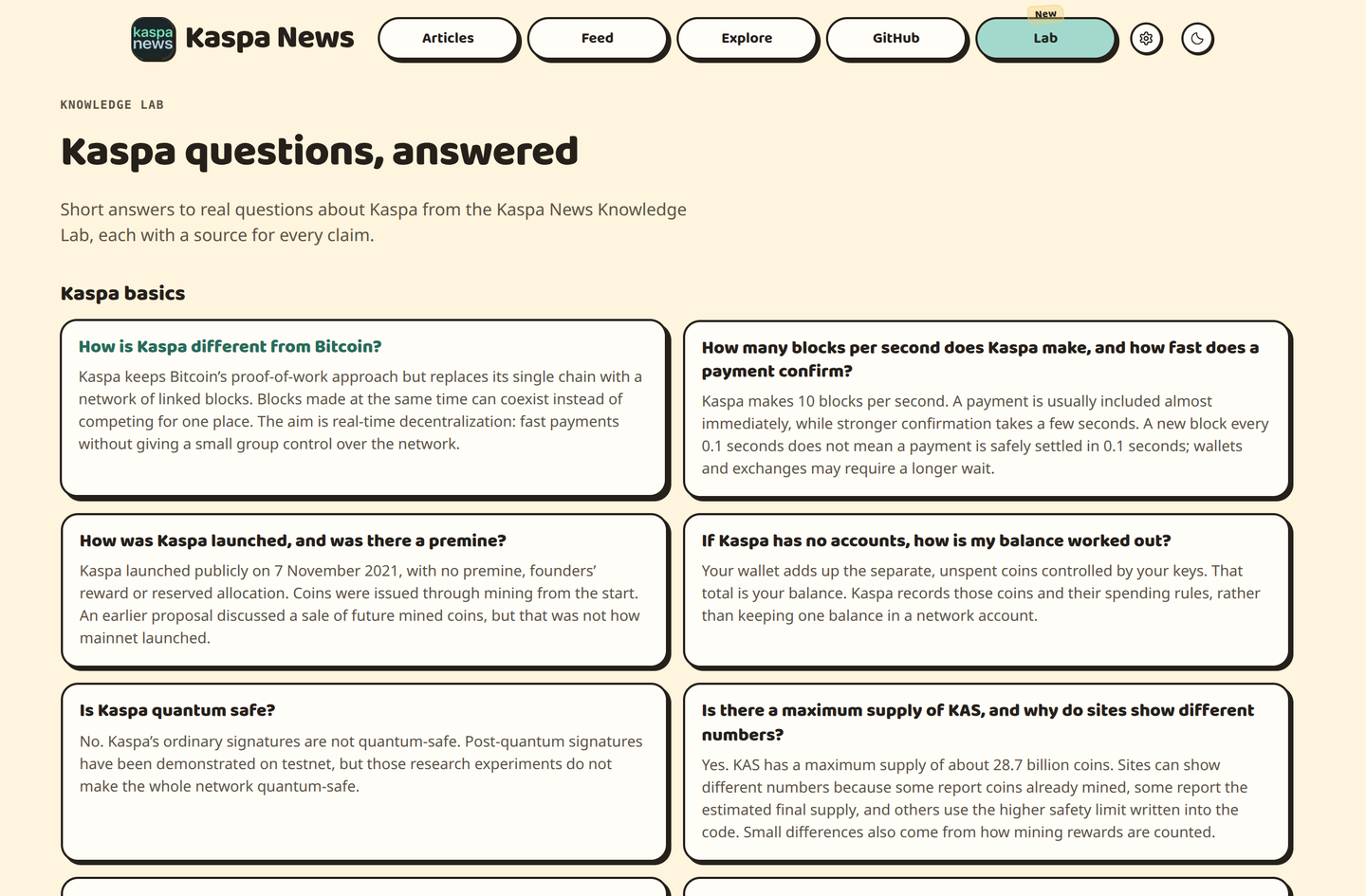
Each answer page carries a short summary box, a full sourced explanation with clickable numbered citations, a Sources list, the last checked date, related questions and an "Ask a follow-up in the Lab" button that pre-fills that topic in Lab.
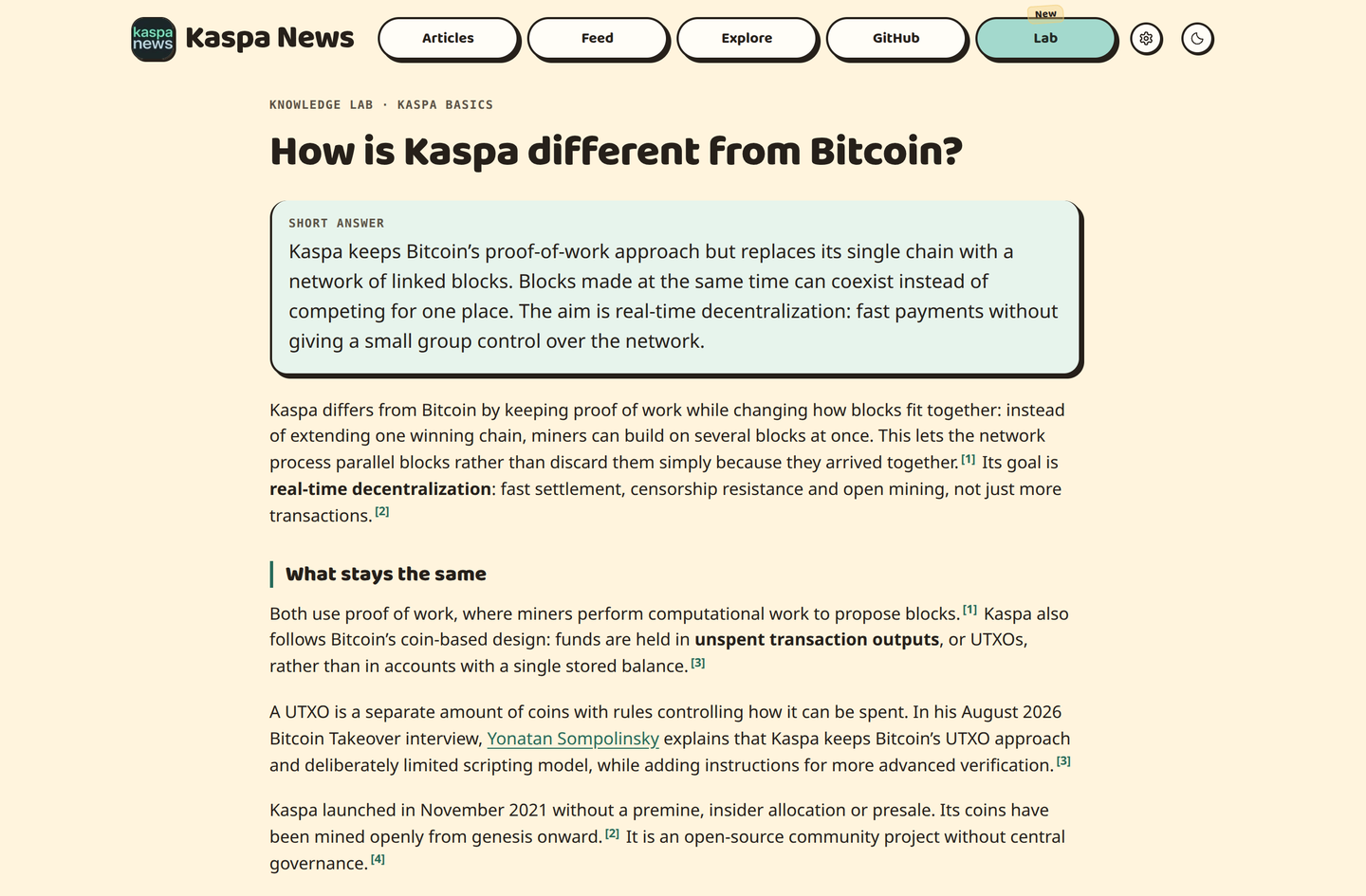
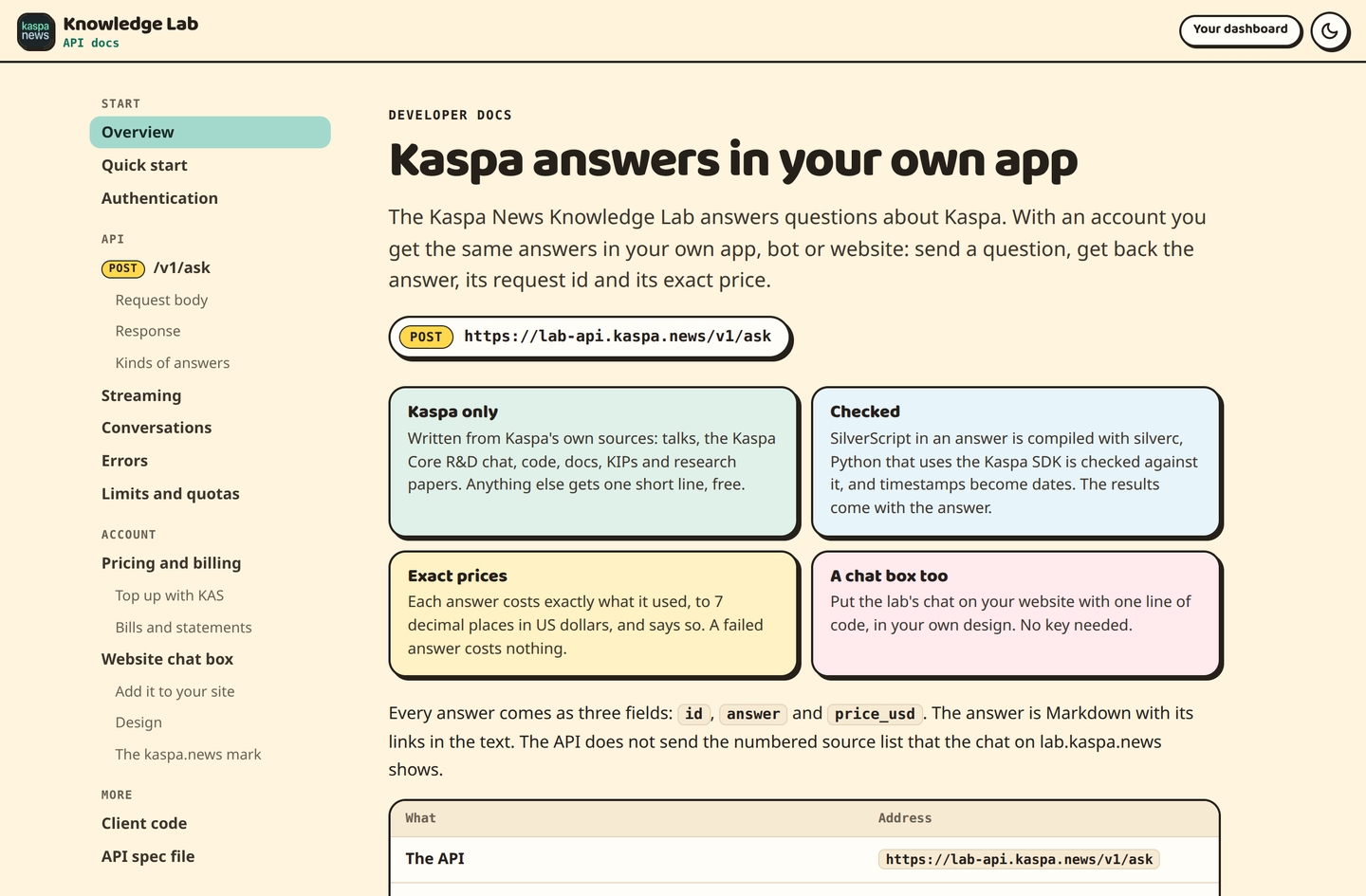
Developers who want programmatic streaming answers or an embeddable chat box on their own site can read the public OpenAPI guide at lab.kaspa.news/docs.
Pro access on a Kaspa covenant
Articles, Videos, Reddit, Mood, Radar, What is Kaspa?, GitHub and Lab all stay open without an account. Signing up with email and password and turning on Pro unlocks full access to Feed, Best, Devs, Eco, Focused and Media across both web and Android.
For new subscribers, Pro runs on a live Kaspa mainnet covenant at kaspa.news/pro/kas-subscription at a fixed 50 KAS a month, paid 1 to 6 months at a time with no USD conversion and a 0.1 KAS network fee cap per spend. Existing card subscribers keep their renewal and Stripe billing portal controls in Settings, while new card checkouts and one-off KAS payments are closed. Promo codes can also be redeemed during sign-up or in Settings.
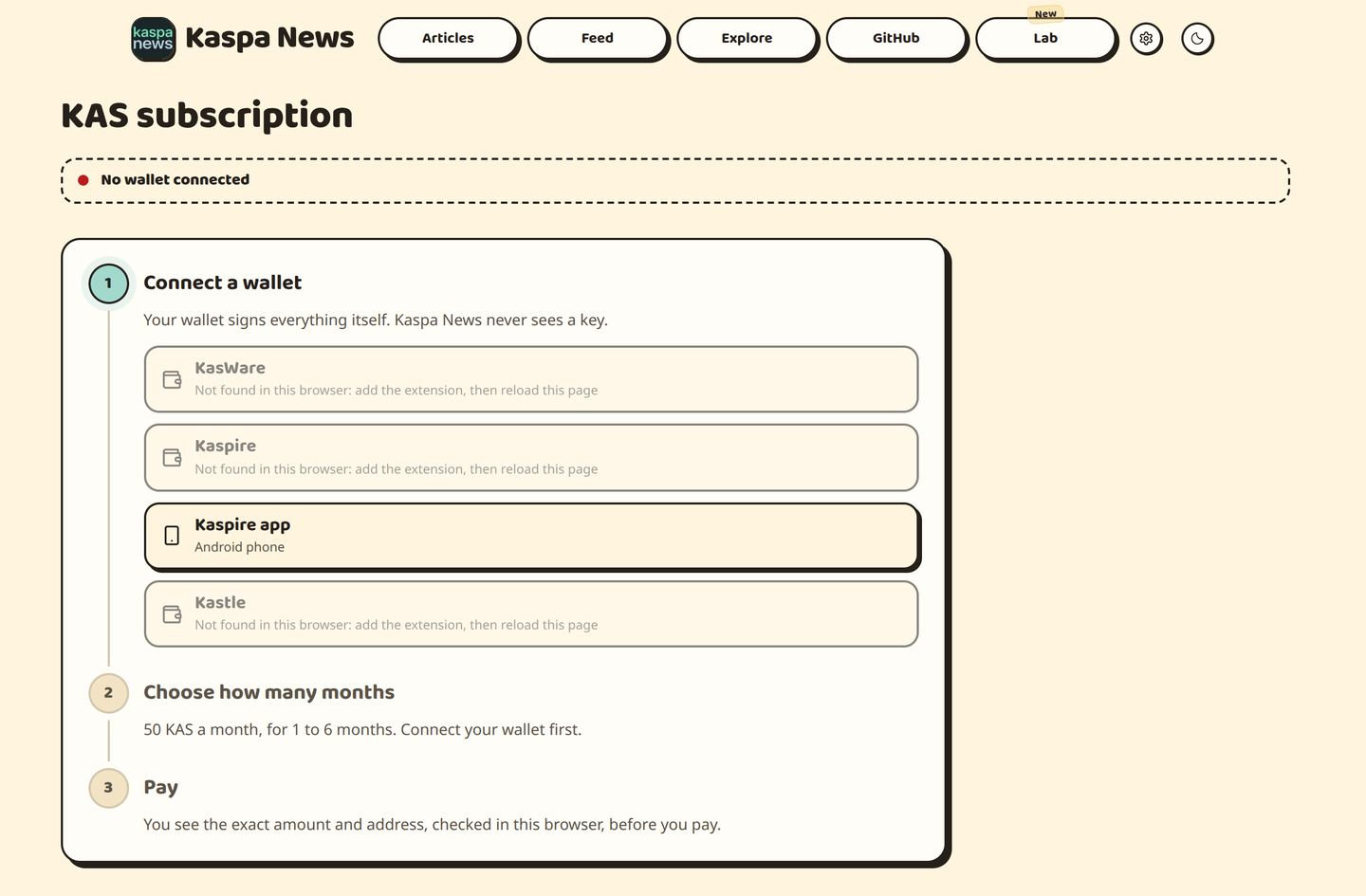
The subscription page is built so you never have to trust the website server. It works with four self-custodial wallets, KasWare, the Kaspire browser extension, Kastle and the Kaspire Android app through WalletConnect (via QR code on desktop or a direct app link on Android). Three numbered steps walk through setup.
- Connect your wallet and sign a KIP-5 ownership message, the Kaspa standard for proving you control an address without moving coins.
- Pick 1 to 6 months and, if you wish, tap "Read the contract" to inspect the SilverScript code checked live against its SHA-256 hash inside your browser.
- Send the exact deposit to the covenant address rebuilt locally in your browser, after checking the transaction outputs, network fee and a live dotk lookup confirming the receiving address matches news.k.
Live progress ticks through as the deposit hits the network, Month 1 settles and Pro unlocks right away without reloading the page. Future months stay locked in the covenant and settle one month at a time roughly every 30 days through keyless settlement, so Kaspa News can never draw future months early. Once Month 1 pays, the Details drawer checks the revealed script straight on the blockDAG ("Checked on the BlockDAG") and exposes every public contract parameter under "Check this address yourself".
Cancelling returns every unused month back to your wallet while keeping your already-paid Pro time active until its end date. Two cancel paths exist, a signed message cancel or a wallet-signed coin cancel. If kaspa.news fails to relay a signed coin cancel within 45 seconds, your browser broadcasts that exact signed transaction directly to api.kaspa.org itself. Every deposit, monthly payment and refund appears in a newest-first History log with explorer links, and self-service account deletion lives in Settings, pausing with a warning first if a KAS subscription is still active.
The Android app, with topic-only alerts
On phones, the Kaspa News Android app on Google Play mirrors the website's five-section menu, all eight visible Feed tabs, Mood, Radar, What is Kaspa?, GitHub and Lab. It adds native zoomable image galleries, inline video and YouTube playback, Paper and Dark themes and shared Pro sign-in, while payment screens stay on the website.
App notifications are opt-in only and cover public content across four channels and six topics. New articles, Mood changes, Kaspa on the Radar and Rusty Kaspa releases switch on by default once you enable notifications, alongside optional Daily Mood and Radar roundup topics. Nothing asks at launch, no device tokens, account links or open events are stored, ad IDs and web trackers are stripped out, and notifications never push X posts, Pro content, prices or offers.